Unlocking ChatGPT’s Hidden Gem: The Powerful Feature Most Users Overlook

For years, AI technology has captivated audiences with its potential, showcasing remarkable capabilities. From browsing the web and analyzing documents to conducting extensive research, these intelligent systems are increasingly acting as our digital assistants. However, with this advancement comes an essential question: what safeguards exist against the unintended release of sensitive information when these systems are manipulated? Enter OpenAI’s innovative Lockdown Mode, a forward-thinking solution designed for those who prioritize security in their digital interactions.
Understanding Lockdown Mode
Lockdown Mode is a new security feature integrated into all types of ChatGPT accounts. This optional setting is specifically tailored for individuals and organizations managing sensitive data. Its primary purpose? To enhance protection against certain data breaches, albeit at the expense of some advanced functionalities.
Why Choose Lockdown Mode?
Lockdown Mode primarily aims to forestall data exfiltration from what is known as prompt injection attacks. This burgeoning security issue has become one of the primary concerns in the world of AI. Instead of straightforward software attacks, these threats use cleverly concealed instructions within various types of content—like documents, emails, or websites—that an AI might process. Such manipulations could lead to compromising behavior from the AI.
OpenAI acknowledges that while Lockdown Mode can’t entirely prevent these malicious prompts from existing, it significantly mitigates the risk of sensitive information being leaked. The feature restricts ChatGPT’s interaction with external environments, offering users a fortified layer of security.
Rachit Agarwal / Digital Trends
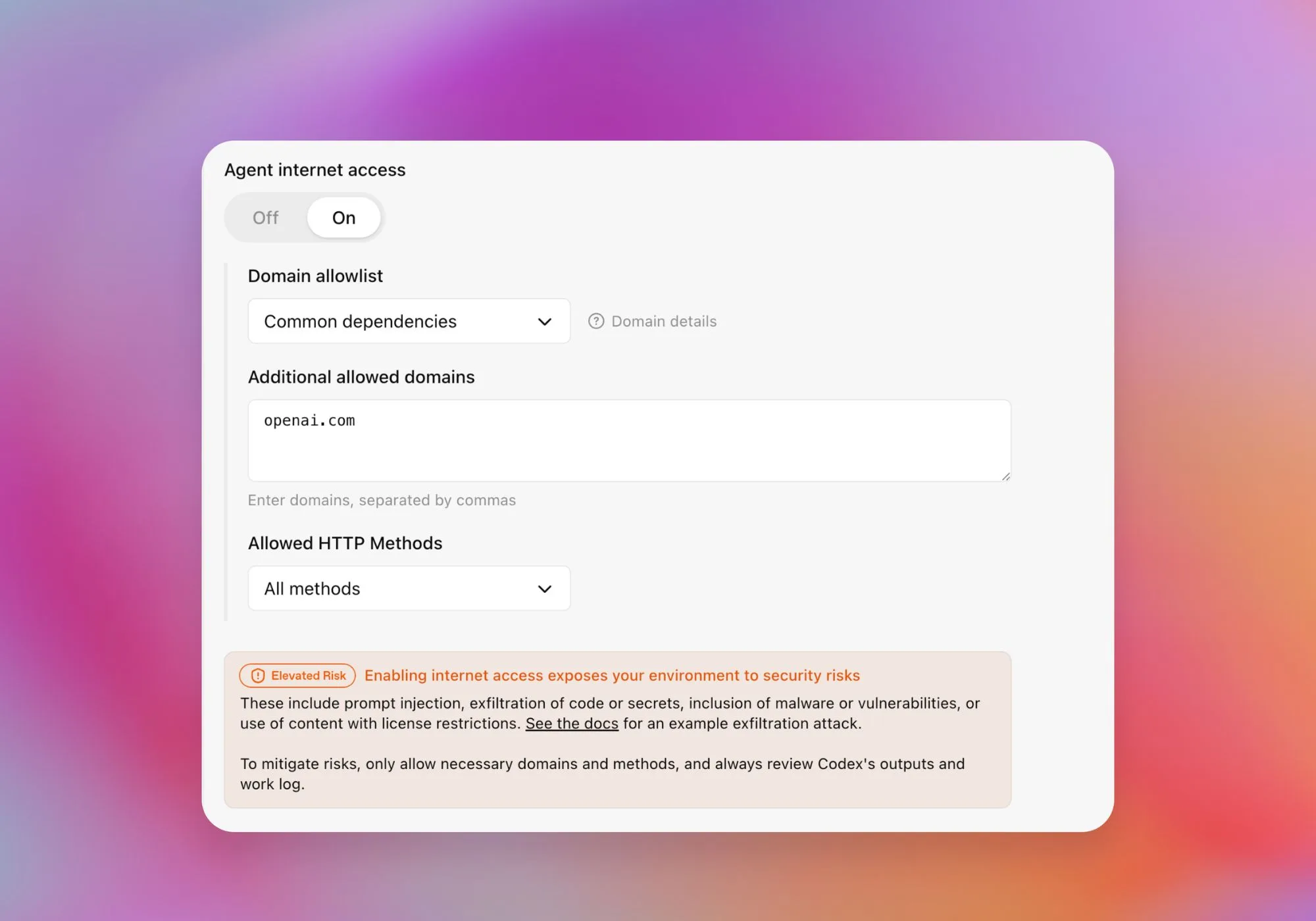
Once Lockdown Mode is activated, live browsing capabilities are constrained. ChatGPT can access only cached content, which may mean limited or outdated search results. Features like Deep Research and Agent Mode become inactive, and it loses the ability to download files for analysis. While users can still upload images and create visual content, the assistant cannot pull images from the web, effectively isolating it from real-time information.
Who Needs Lockdown Mode?
It’s essential to clarify that Lockdown Mode may not be for everyone—not that this is in any way a negative assessment. OpenAI openly concedes that this feature is intended for those facing unique security vulnerabilities. Just as Apple’s Lockdown Mode caters specifically to individuals at risk of sophisticated cyberattacks, OpenAI’s approach reflects a similar understanding of its user base.

ChatGPT
For those navigating the complexities of sensitive information, the potential limitations of Lockdown Mode can be a worthwhile trade-off. By restricting network requests, the chances of confidential data exiting the system drastically decrease. This shift aligns with a growing trend within the AI landscape—one that focuses not on increasing access to data but rather on how much access should be granted in the first place.
The Future of AI Security
The introduction of Lockdown Mode sheds light on the evolving narrative surrounding AI products. Historically, digital security has revolved around protecting users from malicious software. With AI, however, the challenge shifts to safeguarding these systems from harmful information—a far more intricate problem.
Detecting hidden threats presented through prompt injection requires continuous research and innovation, as eliminating every potential attack vector remains elusive. Lockdown Mode acknowledges this reality, lowering the risk of exposure while simultaneously promoting user autonomy.
ChatGPT
Administrators in enterprise settings can take advantage of even more sophisticated controls. They can create tailored roles within Lockdown Mode, restrict integrations, and dictate permissible actions for employees. This nuanced approach ensures a fortified environment where information remains protected.
Ultimately, as AI assistants grow more potent, users will increasingly require the capability to temper their functionality when necessary. While the prospect of groundbreaking advances may thrill, the wisdom of knowing when to pull back is of equal, if not greater, significance. For those navigating sensitive realms, it’s not just about a highly capable AI—it’s about an intelligent ally that understands when restraint is the true mark of sophistication.
Feeling inspired to explore how AI can work in your favor while keeping your data secure? Dive into the world of possibilities and discover the balance between innovation and safety today!