Transkriptor
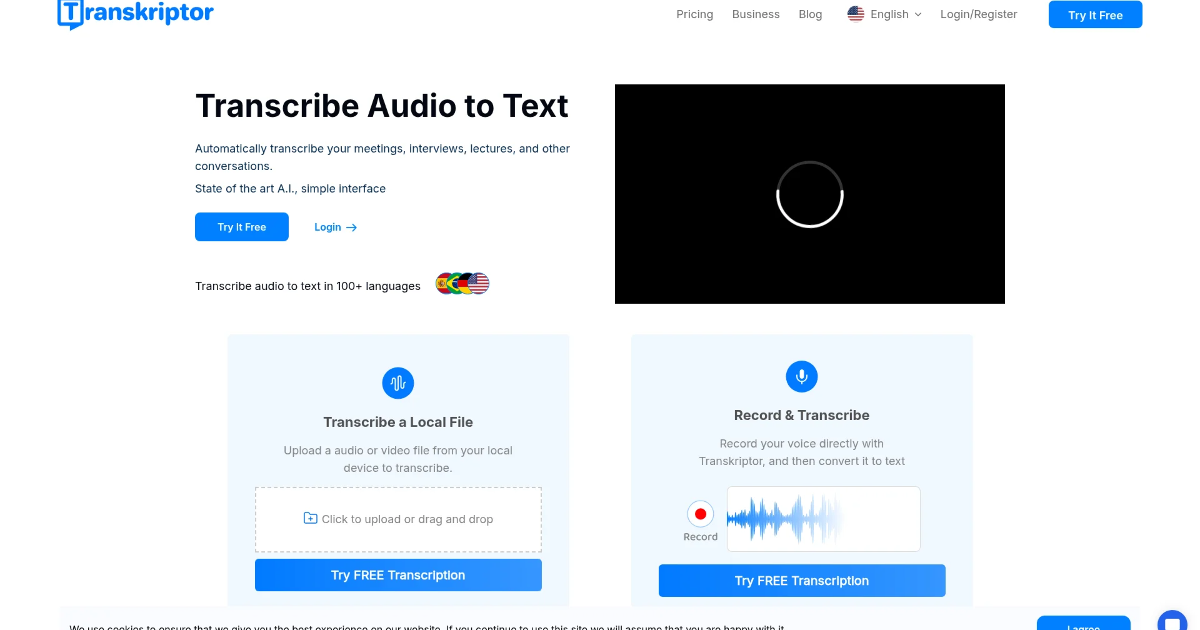
In today’s fast-paced world, managing and processing audio and video content efficiently is crucial. Transkriptor, an AI-powered transcription tool, offers a seamless solution for converting audio to text across over 100 languages. Whether you’re a professional, student, or content creator, Transkriptor aims to enhance your productivity by automating transcription tasks.
What is Transkriptor?
Transkriptor is an advanced AI-driven transcription platform designed to convert audio and video files into accurate, editable text. It supports over 100 languages, making it a versatile tool for a global audience. The platform offers features like speaker identification, timestamps, summaries, subtitle generation, and collaborative editing, catering to professionals, students, content creators, and researchers. (aiwriter.review)
Key Features of Transkriptor
-
High Accuracy Transcription: Achieves up to 99% accuracy in transcribing audio and video content. (thetoolsverse.com)
-
Multilingual Support: Supports transcription in over 100 languages, accommodating a diverse user base. (transkriptor.com)
-
Speaker Identification: Automatically identifies and labels different speakers in meetings, interviews, and calls. (aiwriter.review)
-
Timestamps and Subtitles: Adds precise timestamps to transcripts and generates subtitle files (SRT) for videos. (aiwriter.review)
-
Smart Summaries and Sentiment Analysis: Creates condensed summaries of long conversations and highlights key points and actionable items. (aiwriter.review)
- Collaborative Editing: Allows teams to edit and review transcripts simultaneously, enabling real-time collaboration. (aiwriter.review)
Benefits and Advantages
-
Enhanced Productivity: Automates transcription tasks, saving time and effort for professionals and students.
-
Cost-Effective: Offers a free daily transcription allowance and affordable paid plans, making it accessible for various users. (voicetypingtools.com)
- User-Friendly Interface: Provides an intuitive control panel to keep all audio, videos, and transcriptions well organized. (softwareadvice.com)
How Transkriptor Works
Transkriptor operates on a Software as a Service (SaaS) model, offering both free and paid plans based on transcription volume and access to premium features. Users can access the service through a web application, mobile apps, or a Chrome extension. The platform allows users to upload files or provide URLs, such as YouTube links, for transcription. (es.wikipedia.org)
Use Cases / Real-World Applications
-
Professional Meetings: Transcribe and summarize meetings to enhance collaboration and decision-making.
-
Educational Lectures: Convert lectures into text for easy review and study.
-
Content Creation: Generate subtitles and summaries for videos and podcasts.
- Research Interviews: Transcribe interviews to analyze and extract valuable insights.
Comparison with Alternatives
When compared to alternatives like Descript, Transkriptor stands out with its high accuracy, multilingual support, and AI-generated summaries. While Descript offers advanced video editing features, Transkriptor focuses on providing precise transcriptions and collaborative tools, making it ideal for note-taking and meeting transcriptions. (transkriptor.com)
Pricing and Plans
-
Free Plan: Offers 30 minutes of free daily transcription, suitable for light users.
-
Pro Plan: Priced at $19.99 per month, providing unlimited transcription with no minute caps, ideal for high-volume users. (voicetypingtools.com)
- Team Plan: Priced at $30 per month, offering shared workspaces, file collaboration, and advanced analytics for teams. (aiwriter.review)
Pros and Cons
Pros:
-
High Accuracy: Delivers precise transcriptions, even for complex audio.
-
Multilingual Support: Accommodates a global user base with support for over 100 languages.
- Collaborative Features: Facilitates teamwork with real-time editing and sharing options.
Cons:
-
Limited Advanced Editing: Lacks some advanced editing features found in other tools.
- Customer Support: Some users have reported slower response times from customer support. (voicetypingtools.com)
Tips for Getting the Most Out of Transkriptor
-
Utilize the Free Plan: Take advantage of the 30 minutes of free daily transcription to assess the tool’s suitability for your needs.
-
Explore Collaborative Features: Use the collaborative editing tools to enhance teamwork and efficiency.
- Integrate with Other Tools: Combine Transkriptor with other productivity tools to streamline your workflow.
Conclusion
Transkriptor is a robust AI transcription tool that offers high accuracy, multilingual support, and collaborative features, making it a valuable asset for professionals, students, and content creators. Its user-friendly interface and cost-effective pricing plans cater to a wide range of users, enhancing productivity and efficiency in transcription tasks.
For more information, visit the official Transkriptor website.