Discover Free Web Access to Notebook Projects for All Gemini Users!
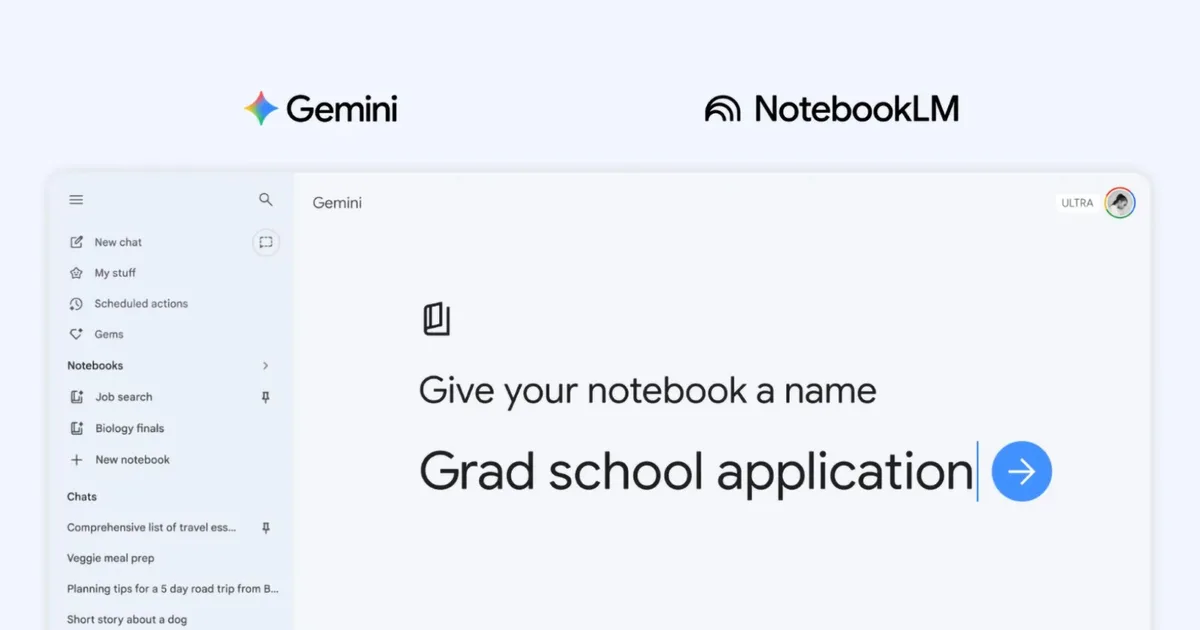
Google has just unveiled an exciting update that elevates the Gemini experience for its users. The Notebooks feature, once exclusive to paid subscribers, is now accessible to everyone on the web. This development is significant for those who frequently utilize the Gemini app, as it opens up new avenues for organizing thoughts and projects.
What is the Gemini Notebooks Feature?
Imagine having a dedicated space to manage all your ideas and resources within Gemini. That’s exactly what the Notebooks feature offers. Instead of starting over each time you open the app, you can save conversations, files, and relevant information in one centralized location. This makes it easier than ever to reference past materials when formulating new queries.
You’ll find the Notebooks section conveniently located in the side panel of Gemini, nestled between Gems and Chats. Any conversation can be easily saved into a notebook using the three dots menu, allowing you to streamline your workflow and enhance your productivity.
Credit: Google
Additionally, you can customize instructions to dictate how Gemini responds. Prefer a specific tone or style? You can set that too! If you’d rather not use any saved chats, there’s an option to disable notebook memory entirely, giving you complete control.
Exciting Integration with NotebookLM
What truly sets this feature apart is its integration with NotebookLM, Google’s standalone research tool. The synchronization between the two platforms means that any sources added in Gemini appear instantly in NotebookLM. You can conduct research in Gemini and then take advantage of NotebookLM’s interactive features like Video Overviews and Infographics—all without any hassle of transferring data manually.
How Many Sources Can You Add?
For those using the free version of Gemini, you can include up to 50 sources in each notebook. If you opt for a paid plan, the limits expand significantly:
- AI Plus subscribers: 100 sources
- Pro users: 300 sources
- Ultra subscribers: 600 sources
This feature supports all of Gemini’s capabilities, including web searches and other AI-driven tools, making it a robust platform for your projects.
Where to Access Notebooks
Currently, the Notebooks feature is available only on the web. While expansion to mobile and Mac applications is anticipated soon, you can start leveraging this powerful tool right away on your browser.
As a member of the Malibu Elixir community, this innovative functionality is a fantastic opportunity to enhance your productivity and organization skills. Dive in and explore how you can make the most out of your experiences with Gemini.
Ready to elevate your project planning? Embrace the power of Gemini’s Notebooks today and transform the way you manage information. Your imagination is your only limit!