Uncover Hidden Gems: Must-Know Small Updates in iOS 27 You Might Have Overlooked
From smarter Mail search to smoother network switching, iOS 27 hides a lot of useful fixes behind the bigger AI headlines.
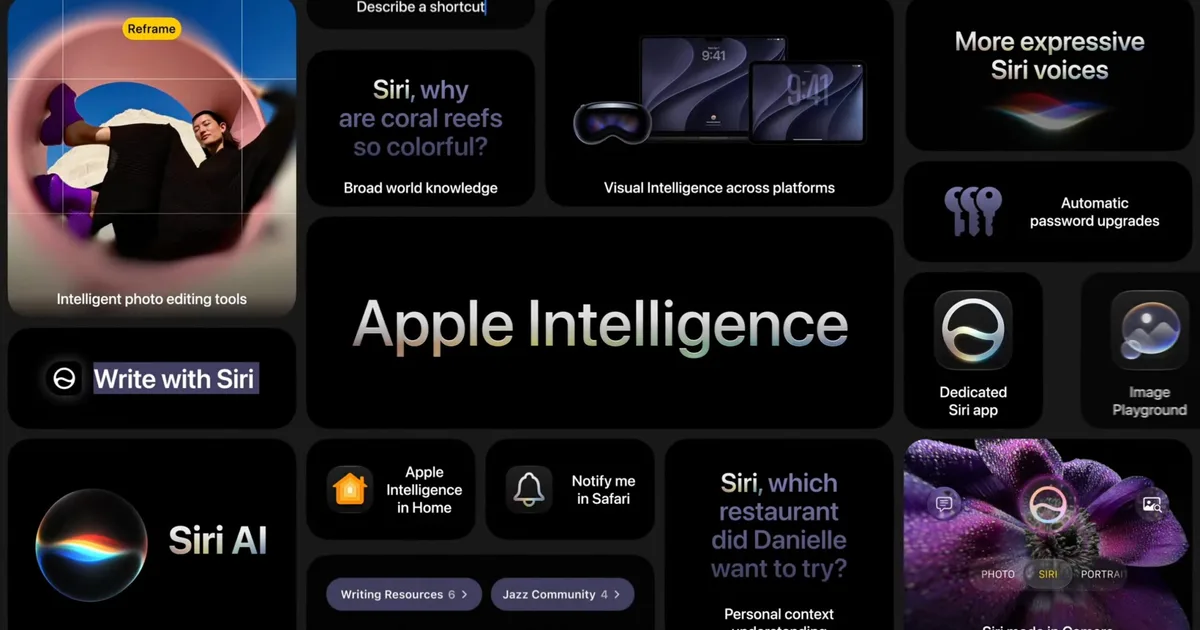
With the ever-evolving landscape of technology, Apple’s iOS 27 emerges as an enticing update, packing in functionality that complements its sophisticated aesthetics. While the headlining features—such as enhanced Siri AI and refined Apple Intelligence—grab significant attention, the beauty lies in the smaller, everyday improvements that promise to refine the user experience.
Seamless Enhancements to Daily Functions
Apple has tuned up several essential apps including Mail, Photos, and Home. These subtle yet impactful updates won’t make for flashy presentations, but they’re the quiet heroes aiming to eliminate those little annoyances that creep into our daily digital routines.
Mail Gets a Smarter Search
Let’s dive straight into Mail—a tool we often take for granted until it doesn’t function optimally. iOS 27 introduces a revamped ranking system within search, ensuring that your most relevant results—like receipts, boarding passes, or appointment confirmations—are prioritized. This upgrade will prove invaluable as you sift through an inbox cluttered with years of correspondence.
Credit: Apple
Smoother Connectivity Options
Another noteworthy enhancement focuses on network switching. iPhones can now transition more seamlessly between Wi-Fi and cellular, which means you can maintain reliable connections during critical tasks like navigating Maps or staying on a FaceTime call. Moreover, both AirDrop and AirPlay benefit from speed improvements, facilitating quicker transfers and a more responsive experience when discovering nearby devices. Small hiccups in connectivity can quickly detract from the premium feel of such a high-end device.
Photo Sharing Made Simpler
Enhanced iCloud Shared Albums
In a bid to make iCloud Shared Albums friendlier for everyone, Apple has streamlined the process for users on Android and Windows. Now, family groups and friends who aren’t fully integrated into the Apple ecosystem can easily join and contribute to shared albums via iCloud.com.
Additionally, upgrades like full-resolution sharing, customizable filters, reactions, and options for expiring albums bring overdue improvements to this feature. Ever found yourself searching for photos post-trip, only to realize they’ve vanished into the abyss? With these updates, that scenario will be a thing of the past.

Credit: Apple
Subtle Accessibility Improvements
Important Additions We’re Excited About
Those invested in accessibility will find that iOS 27 brings some noteworthy enhancements. The VoiceOver feature now offers richer image descriptions, while a new captioning tool generates synchronized subtitles for videos. Even better, it can translate existing captions, making shared clips more accessible without needing extra apps.
Beyond accessibility, small utilities enrich the experience: separate volume controls for alarms, timers, alerts, and system sounds allow tailored audio management. For fans of digital note-taking, the ability to copy and paste Markdown can feel like a delightful upgrade.
Closing Thoughts
While these improvements may not steal the spotlight, they collectively ensure that your device operates with less hassle day in and day out. Embracing iOS 27 means stepping into a realm where technology works for you, enhancing everyday tasks without fuss.
So, are you ready to explore these hidden gems in iOS 27? Update your device and discover how a few subtle changes can transform your daily digital lifestyle. Embrace the elegance of smoother functionality today!