Microsoft Unifies Copilot Apps Ahead of Upcoming Super App Launch
Microsoft has embarked on an exciting journey to streamline your digital experience by merging its Copilot applications. If you’ve been navigating between two distinct Copilot icons on your taskbar, you can finally bid farewell to that clutter. This integration combines personal and professional functionalities while ensuring your account data remains distinctly separate. By initiating this rollout, Microsoft takes a significant step toward creating a comprehensive “super app” that will redefine your use of technology in the near future.
What Changes Will You Notice After the Merge?
The transition you experience depends on the Copilot app you’ve been using.
- If you’ve primarily used the standalone consumer Copilot app, your chats and content will migrate seamlessly into the new version.
- On the other hand, if you’re a regular user of Microsoft 365 Copilot, expect minor navigation tweaks and a sleek, refreshed icon, along with complimentary access to Copilot chat for the first time.
For those who have juggled both applications, Microsoft is unifying your chats and content into a single interface, but your personal and work data will remain completely segregated. Importantly, the merger won’t compromise enterprise security, compliance, or oversight; switching between personal and work accounts will continue as usual.
Exciting New Features and a Few Sacrifices
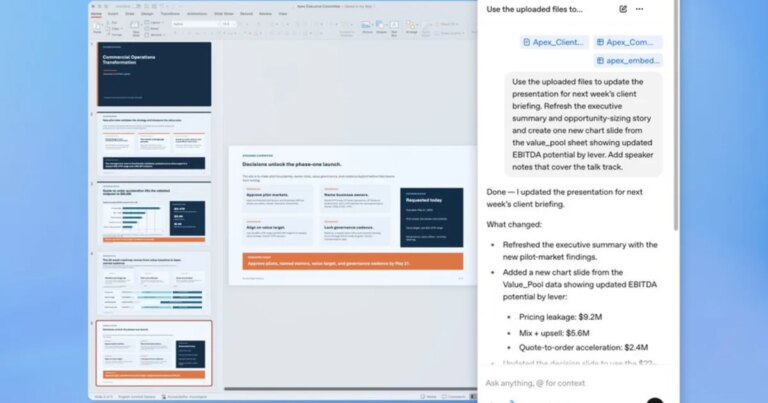
The newly unified app introduces a remarkable feature: you can now transition directly from a Copilot conversation into Word, Excel, or Outlook without needing to exit the app—an enhancement that was not possible with the original standalone version.
Image credit: Rachit Agarwal / Digital Trends
This integration is set to commence with mobile and web apps this month, paving the way for Windows and Mac applications by mid-September. However, not every feature makes the transition smoothly. Notably, Podcasts and Deep Research will be discontinued after August 18, and any Group Chat threads or messages will not transfer beyond this date.
Additionally, Microsoft cautions that features like Shopping and Copilot Health may be temporarily unavailable during this rollout. The fate of the dedicated Copilot key on various Windows keyboards remains uncertain, but it is expected to launch whatever unified application is implemented on your device.
As we eagerly anticipate the enhancements that this merger will bring, it’s thrilling to think about the potential of a more streamlined and efficient experience. Ready to dive into the future of productivity with Microsoft’s new Copilot? Stay tuned for more updates, and don’t miss out on the revolutionary changes ahead. Your digital landscape is about to become more organized and intuitive than ever!