Meta’s AI Assistant Debuts on Mac: What You Need to Know About Its Features and Limitations
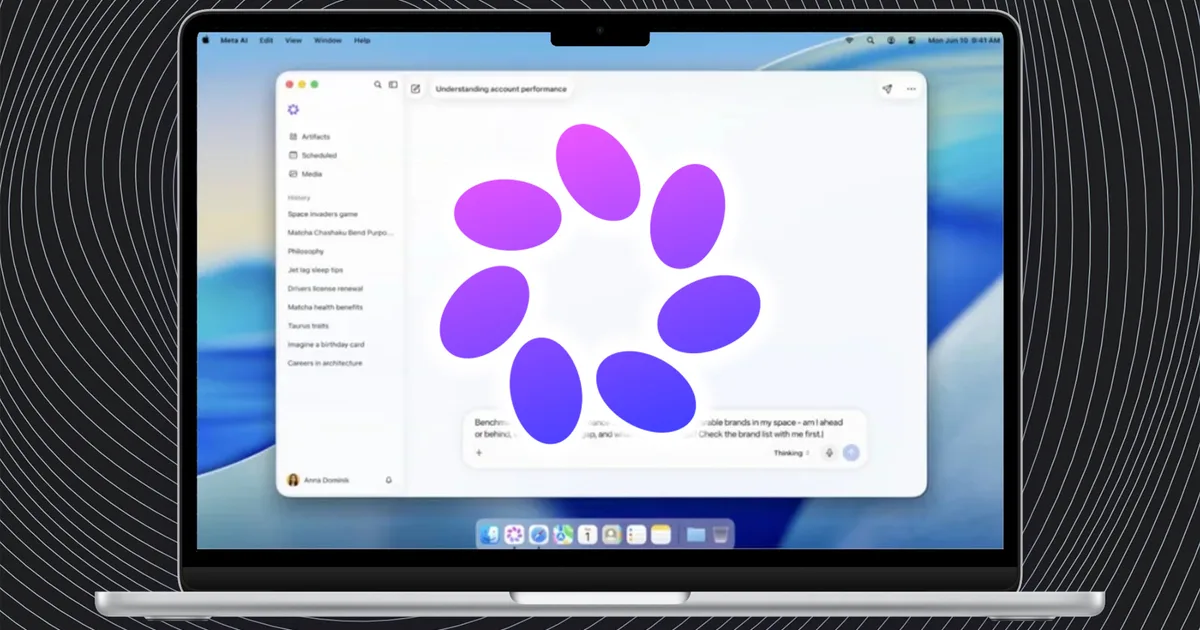
Meta has recently unveiled its new Meta AI assistant for macOS, an exciting development for those who cherish beauty and innovation in technology. This sleek desktop app offers a unique combination of features that not only enhance productivity but also align with the sophisticated needs of today’s users. Imagine having an assistant that can analyze what’s displayed on your screen while responding to your voice commands—all integrated seamlessly into your Mac environment.
Discover the Power of Visual Context
One of the standout features of the Meta AI app is its ability to visually perceive what’s happening on your screen. This capability sets it apart from traditional assistants. Users can ask questions about displayed content, receive customized suggestions, or even generate creative materials based on live visuals.
Imagine the possibilities:
- Contextual Assistance: Need help with a document? Meta AI can provide relevant insights based on what it sees.
- Content Creation: From essays to presentations, let your AI assistant assist you in crafting quality material quickly.
- Voice Dictation: Forget typing; simply speak your thoughts, and let Meta AI handle the rest.
This intuitive functionality makes the app a more effective desktop partner than merely launching it in a web browser.
Image Source: Meta
Ideal for Creatives and Businesses
Meta is keen to position this app as a game-changer for creators and small business owners. Its integration with platforms such as Instagram and Facebook means that it can monitor campaign performance, suggest engaging content ideas, and even manage recurring tasks like weekly performance summaries.
Key benefits for creators include:
- Performance Insights: Analyze reach, engagement, and audience interaction.
- Content Suggestions: Generate fresh ideas tailored to current trends.
- Task Management: Simplify project timelines and keep track of important deadlines.
A Competitive Landscape
While the Meta AI app presents exciting possibilities, it’s important to note that it faces stiff competition in the Mac ecosystem. With AI solutions like Gemini already offering screen interaction and ChatGPT providing a high degree of computer-control features, Meta’s approach feels more reactive than proactive.
This leaves potential for Meta to carve out a distinct niche by enhancing its connections with social media tools and focused advertising features. For creators and marketers, this could mean a quintessential assistant that streamlines their workflow effortlessly.
Image Source: Meta
An Evolving Assistant
For now, the Meta AI app for Mac stands as a promising yet unpolished tool. While it may not be an essential addition to every desktop just yet, Meta indicates that more capabilities are on the horizon, which could elevate its functionality significantly.
The challenge remains: How do you convince discerning Mac users to embrace another desktop assistant in an already crowded market?
As we anticipate future updates, the best takeaway is the potential for growth. For anyone immersed in the world of digital beauty and creativity, staying ahead means embracing tools that evolve and adapt to your needs. So why not explore the emerging Meta AI app? Your next creative breakthrough may just be a command away!