Identify Songs Instantly: ChatGPT’s New Feature Allows Song Recognition Without Shazam
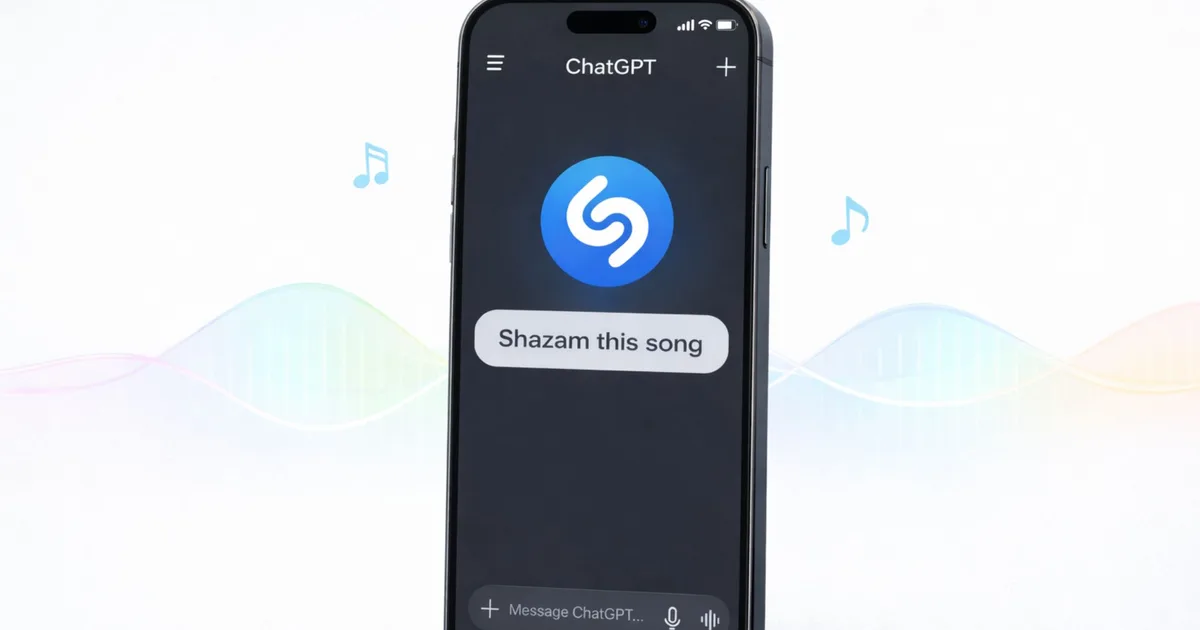
ChatGPT has unveiled an exciting new feature that will resonate with music lovers everywhere—Shazam integration. Imagine effortlessly identifying that catchy tune playing at your favorite café, all without switching apps. This innovative tool promises to enhance your music discovery experience by bringing the power of Shazam right into your ChatGPT conversations, making it more convenient than ever to connect with the music you love.
How Shazam Works Within ChatGPT
With this sleek integration, effortlessly connect to Shazam through the ChatGPT Apps section. Simply type commands like “Shazam” or “Shazam this song,” and watch as the AI assistant springs into action. It listens to the audio, processes it through Shazam’s advanced recognition system, and then presents you with the results—all within the chat interface.
- Identifies key details: The feature returns the song title, artist name, and even album artwork.
- Easy access to previews: You can listen to a preview of the track directly from the results.
This seamless integration adds an impressive layer to your music exploration. Whether you have the Shazam app installed or not, you can identify songs right from your conversation. Plus, if you do have the app, any song identified through ChatGPT can be conveniently saved to your Shazam library for future enjoyment.
Keeping the Conversation Flowing
One of the best parts of this feature is how it keeps the exploration of music within the chat. After identifying a song, you can ask ChatGPT to find similar tracks or even request artist information. Want to create a playlist? Just mention it, and your AI assistant is ready to help.
Photo by Airam Dato-on / Pexels
Setting Up Shazam in ChatGPT
To get started, you’ll need to set up Shazam within your ChatGPT account. Here’s how:
- Visit the ChatGPT Apps section: Type “Shazam” in the search bar.
- Connect your account: Follow the prompts to integrate Shazam.
- Explore your music preferences: Once connected, enjoy music recognition across all supported devices, whether on iOS or Android.
With this new feature, there are more ways than ever to find tracks and make playlists within ChatGPT. From unveiling new songs to accessing curated recommendations on platforms like Apple Music and Spotify, ChatGPT is transforming how you experience music.
As you embrace this innovative integration, dive into conversations that not only enhance your musical library but also provide insights into your favorite tracks. Don’t miss out—explore the magic of music discovery with ChatGPT and Shazam today!