Unlock the Power of ChatGPT: New Chrome Extension Reads Your Tabs, YouTube Videos, and Highlighted Text!
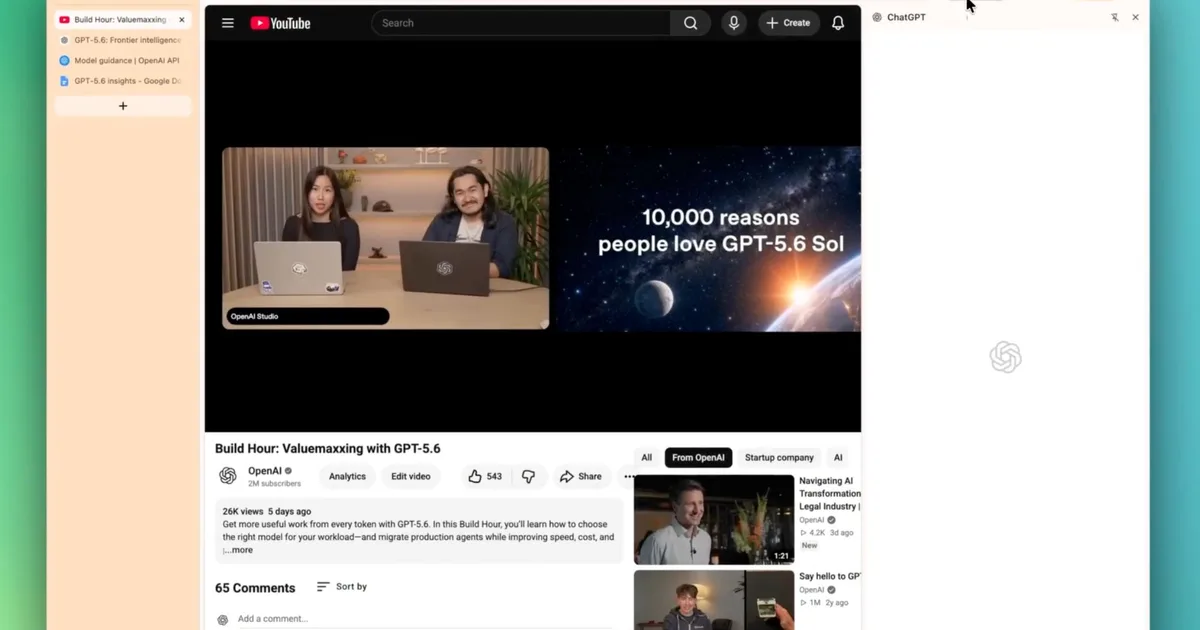
ChatGPT Now Offers Enhanced Interactivity: A Game Changer for Everyday Users
There’s exciting news for those who seamlessly navigate the web while juggling multiple tasks—ChatGPT has taken a giant leap in its functionality. Thanks to recent updates from OpenAI, you can now engage with the content on your screen like never before. Picture this: accessing information from your open tabs, extracting insights from highlighted text, and even digging into YouTube videos—all through the intuitive interface of ChatGPT. This innovative enhancement arrives just after OpenAI decided to pivot from its standalone Atlas browser, proving that efficiency and user-friendliness are top priorities.
Discover What’s New in ChatGPT’s Chrome Extension
The latest enhancements to ChatGPT’s Chrome extension are nothing short of transformative. With the introduction of Side Chat, you can directly reference your open tabs, offering a context that was previously elusive without extra explanation. This means that when you’re diving into a complex topic, you can highlight any text on a webpage and pose questions specifically about that section, ensuring personalized and precise responses.
For instance, if you come across a thought-provoking article, you can ask ChatGPT about a particular paragraph, and it will effortlessly provide clarity without needing you to summarize the content.
Image Credit: OpenAI
When it comes to YouTube, the integration is just as impressive. Simply mention the video you’re interested in, and ChatGPT will read it directly. There’s also a handy shortcut for immediate access—just right-click on any webpage, select “Ask ChatGPT,” and the sidebar will pop up, ready for your queries.
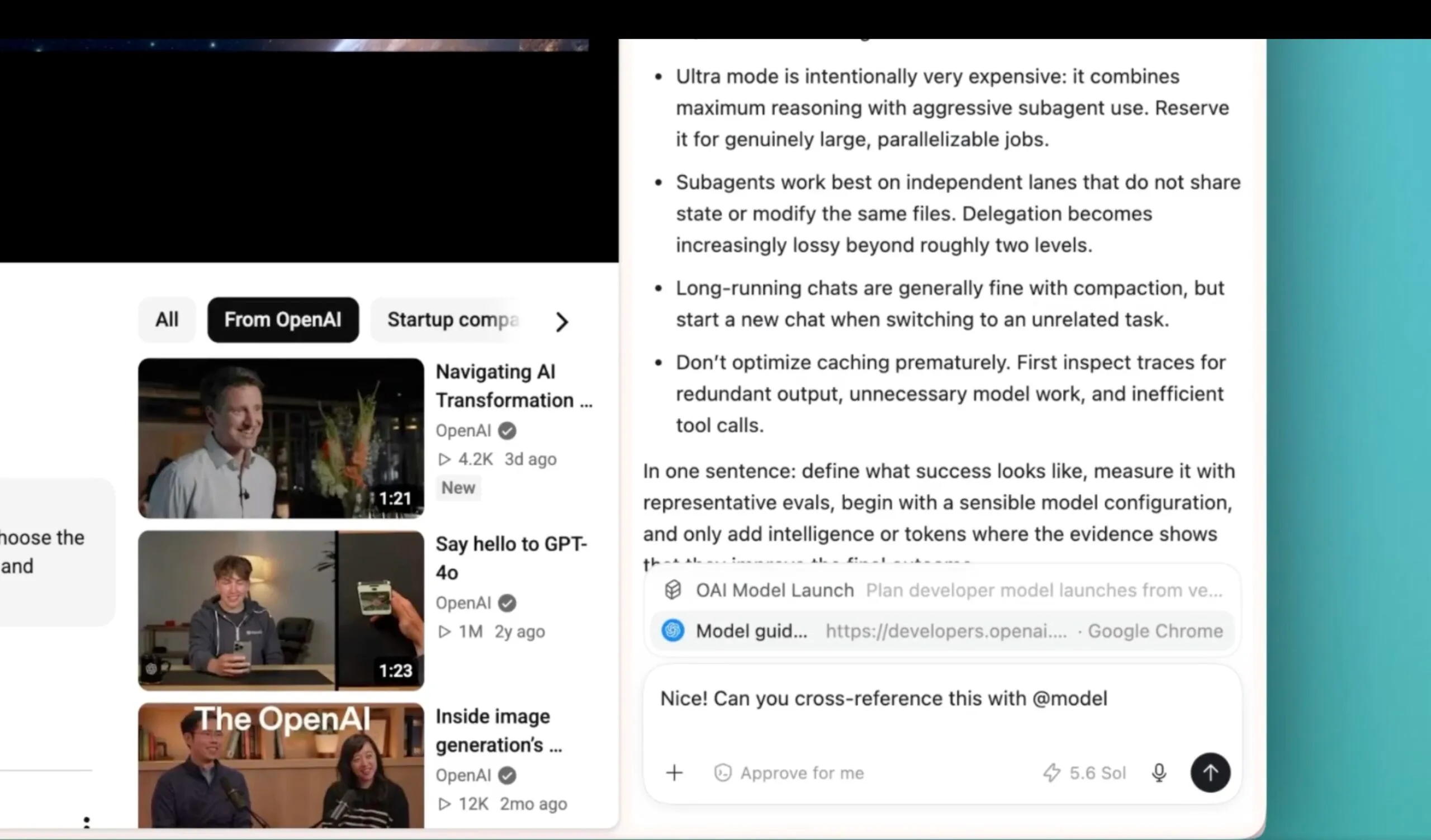
Image Credit: OpenAI
Exploring the Features of ChatGPT’s Desktop App
It’s not just the Chrome extension that’s undergone a makeover; the desktop app has also received noteworthy updates. Now, as you type, ChatGPT offers URL suggestions akin to a traditional browser address bar. This feature streamlines your experience, making it easier to navigate back through your online explorations.
One of the best parts? You can now sift through your browsing history directly through the app settings, which means retracing your steps to access pages you visited previously is a breeze.
Moreover, the refined Activity view in the sidebar highlights your recent chats, allowing you to identify discussions that still require your attention. This organization empowers you to manage your tasks more efficiently.
Additional features include improved code reviews—perfect for developers—across multiple repositories within a project. With generated images now opening in an expanded viewer, you can leave comments and request edits seamlessly, further enhancing your workflow.
As you integrate these updates into your daily life, you’ll find that researching online is not just faster, but also a more enjoyable experience.
In the ever-evolving landscape of technology, maintaining the heart of innovation is essential. With these advancements, ChatGPT continues to demonstrate that it is not just a tool, but a partner in enhancing the way we interact with information online.
Are you ready to elevate your online experience? Dive into the sophisticated world of ChatGPT and discover how these new features can make your browsing more efficient and enjoyable. Your journey toward smarter interactions begins now!