Streamline Your Finance Tasks in Excel: Harness Microsoft Copilot’s New Reusable Skills and Data Connectors
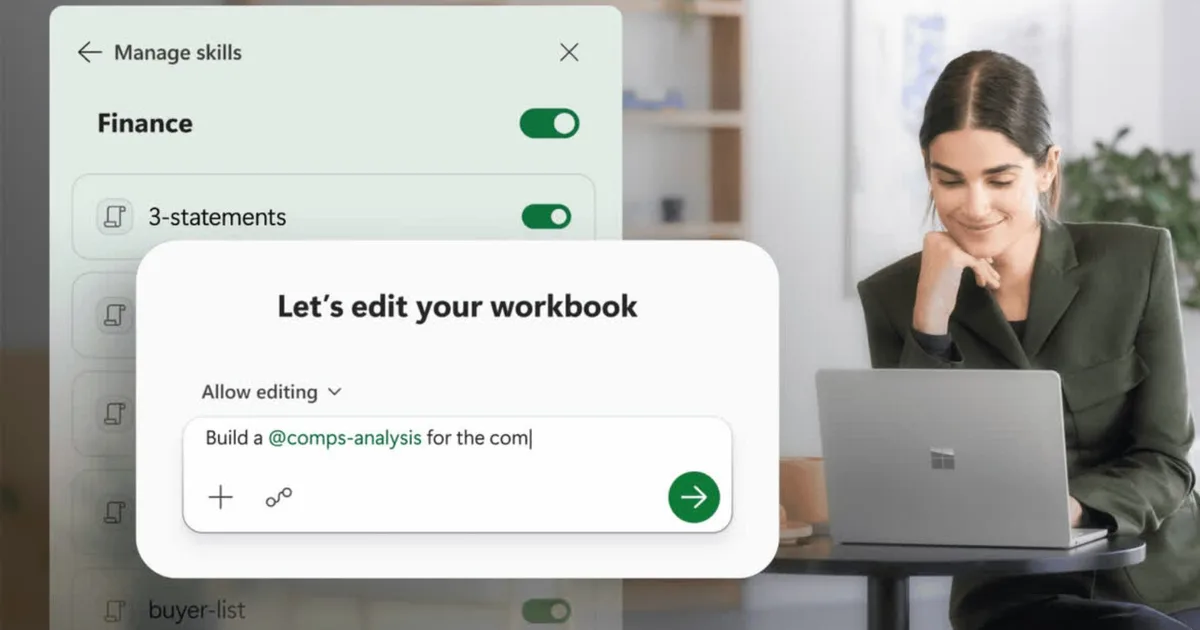
Microsoft has just made waves in the financial sector by enhancing Copilot for Excel. This latest upgrade promises to transform how finance professionals manage their spreadsheets, streamlining processes while ensuring accuracy and transparency. If you find yourself spending countless hours managing spreadsheets, this update is tailored just for you, bringing live data directly into your work environment and significantly reducing manual input.
How Copilot Skills Streamline Your Financial Workflows
A standout highlight of this upgrade is the introduction of Skills. This feature allows users to dictate specific workflows, eliminating the need for redundant prompts each time you execute a task. Whether it’s constructing a Discounted Cash Flow (DCF) model or finalizing the monthly accounts, you can now save a SKILL.md file on OneDrive. Once established, Copilot can autonomously follow your predetermined guidelines, formatting and structuring your documents with accuracy.
- Built-in options: Use pre-designed financial skills or create your own from scratch.
- Marketplace offerings: Later this year, partnerships with organizations like LSEG and Ramp will introduce even more tailored functionalities available through Microsoft Marketplace.
Furthermore, with new connections to platforms like CB Insights, Daloopa, and Morningstar, Copilot seamlessly integrates live data into your spreadsheets. This innovation reduces the tedious task of copying and pasting from reports, allowing you to focus on insightful analysis rooted in real-time information. Keep in mind, however, that some connectors may require separate subscriptions.
Comprehensive Change Tracking in Excel
One significant concern in finance has always been trust, particularly regarding AI implementations. To address this, Microsoft has integrated a Plan with Copilot mode. This feature delineates the exact ranges, formulas, and assumptions that Copilot plans to edit before executing any changes. It’s crucial for financial professionals to maintain clarity, and now, every edit is fully traceable.
Additionally, the Show Changes pane distinctly marks the modifications made by Copilot versus those made by human team members. By building off existing features, this update emphasizes Microsoft’s commitment to the financial domain.
These innovative upgrades are currently live for Microsoft 365 Copilot users on Excel for Web, Windows, and Mac. The roll-out of custom Skills will reach all users within the next month, enhancing the Excel experience for finance teams worldwide.
Embrace this new era of financial management and elevate your productivity with the enhanced capabilities of Microsoft Excel’s Copilot. Dive into the world of live data and seamless workflows—it’s time to work smarter, not harder. Start exploring these features today and transform your approach to finance.