Discover the Streamlined Redesign of Gemini Live: Unlocking Enhanced Features with a Minimalist App Experience

Google’s Gemini Live is on the brink of transformation, making it easier and faster for you to engage with its innovative AI assistant on Android. As sophistication meets practicality, this new redesign reflects a commitment to creating a seamless experience that blends into your daily digital life. Say goodbye to clunky, intrusive interfaces, and welcome a new way to interact with technology effortlessly.
Transitioning to a User-Friendly Experience
In its previous format, Gemini Live dominated the screen during interactions, which could feel overwhelming. By taking over the whole display, it put the focus on its capabilities but left little room for multitasking, making it challenging to juggle other apps in conjunction.
Gemini on a smartphone | Unsplash
With the fresh redesign, Gemini Live is now nestled comfortably within the homepage of the Gemini app. You’ll notice a new “Live with Gemini” header, enabling quick access to features like transcripts—all while maintaining your current activity. This distilled layout promotes a smoother, more intuitive interaction.
Understanding the Importance of This Redesign
This update represents a significant trend in modern AI assistant design. Rather than capturing all your attention, they are evolving into background tools that enhance productivity without demanding constant focus.
By abandoning the full-screen approach, Google is reshaping Gemini Live into a multitasking-friendly companion. You can now readily chat with the assistant while still engaging with messaging apps, browsing, or working on other tasks—perfectly aligned with how we navigate our busy lives.
Additionally, Google’s intention to incorporate Gemini as a fundamental feature of the Android experience signals its commitment to making assistance a seamless part of daily smartphone use, rather than an isolated feature.
The User-Centric Impact of The Update
For users, this redesign aims to create a more accessible and less jarring interaction experience. The minimalist interface eliminates obstacles, allowing users to effortlessly ask questions or continue conversations without derailing their current task.
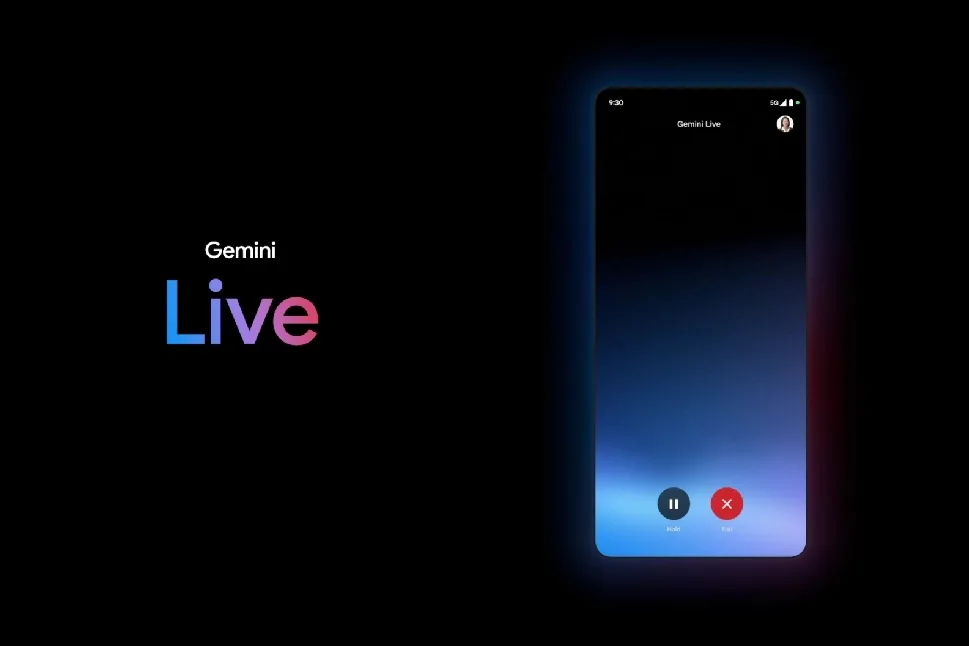
Google demos Gemini Live | Google
Key features, like built-in transcripts, significantly enhance usability for voice interactions, allowing individuals to revisit earlier responses with ease. The compact design makes Gemini feel less imposing, which can particularly benefit those who found the earlier full-screen mode a bit too much.
Anticipating Future Developments
Currently, the redesign is undergoing testing and hasn’t been broadly released, but it is part of a larger wave of rapid updates to the Gemini app. This indicates Google’s commitment to refining user experiences based on feedback, continuously improving how we interact with technology.
Looking forward, the integration of Gemini Live into Android is likely to deepen, potentially replacing traditional assistant workflows. As improvements roll in, the design focus appears to prioritize subtlety, efficiency, and usability—transforming how AI operates within our everyday interactions.
Ultimately, this minimalist redesign speaks volumes about redefining AI’s role in our lives, making assistance both effective and unobtrusive.
In conclusion, it’s an exciting time to embrace these advancements in artificial intelligence. If you’re longing for a more refined and harmonious interaction with your digital life, keep an eye out for the evolving Gemini Live experience—your future self will thank you!