Discover Global Search Trends: Google Trends Unveils a Sleek Mobile Upgrade
The updated Explore experience is here, powered by Gemini, and it’s revolutionizing how you discover trending topics on your mobile device. Imagine having a personal assistant guiding you through the latest searches and rising trends, right at your fingertips. Whether you’re a curious mind or a diligent content creator, this newfound capability will elevate your engagement with trends like never before.
Unveiling the Mobile Revolution with Gemini
Curious about what the world is buzzing about? Google’s revamped Trends is now more accessible, allowing you to delve into trending topics and search data on the go. This update introduces an intuitive interface driven by Gemini, which intuitively gathers related queries and comparisons. Gone are the days of sifting through endless data; now, insights flow seamlessly to help you understand what’s capturing attention online.
At its essence, this enhancement addresses a common challenge. While Google Trends has long been a powerful tool, gathering a comprehensive view of a topic could often be cumbersome. With Gemini integrated, you can start with a single query and watch it evolve into a rich exploration of user interest, providing a clearer picture of what people are searching for.
Gemini: Your Guide to Meaningful Comparisons
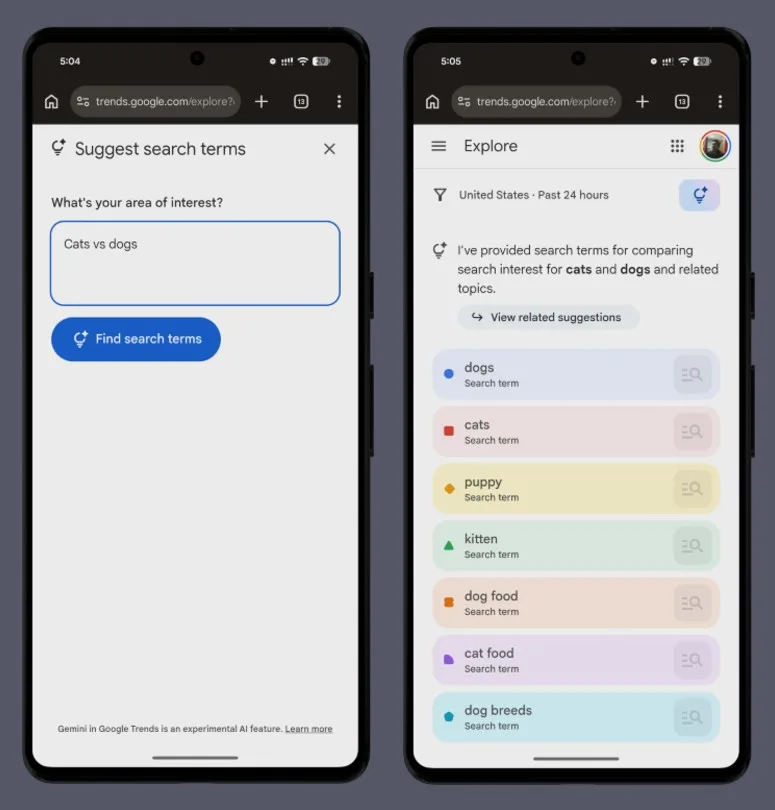
One of the most striking updates lies in how Google Trends now handles comparisons. Instead of searching for data manually, the new Explore interface automatically presents relevant search terms associated with your topic.
Gemini on a smartphone – Unsplash
For instance, when you explore "dog breeds," you’ll see various related queries displayed on the same chart, making it significantly easier to identify patterns without extra effort. This feature also highlights nearby topics, encouraging you to broaden your search and uncover insights you might have otherwise overlooked.
Additionally, a side panel introduces suggested prompts that you can easily tap to continue your search journey, creating a more guided experience—ideal for users unsure of their next inquiry.
A Clearer Perspective on Trends
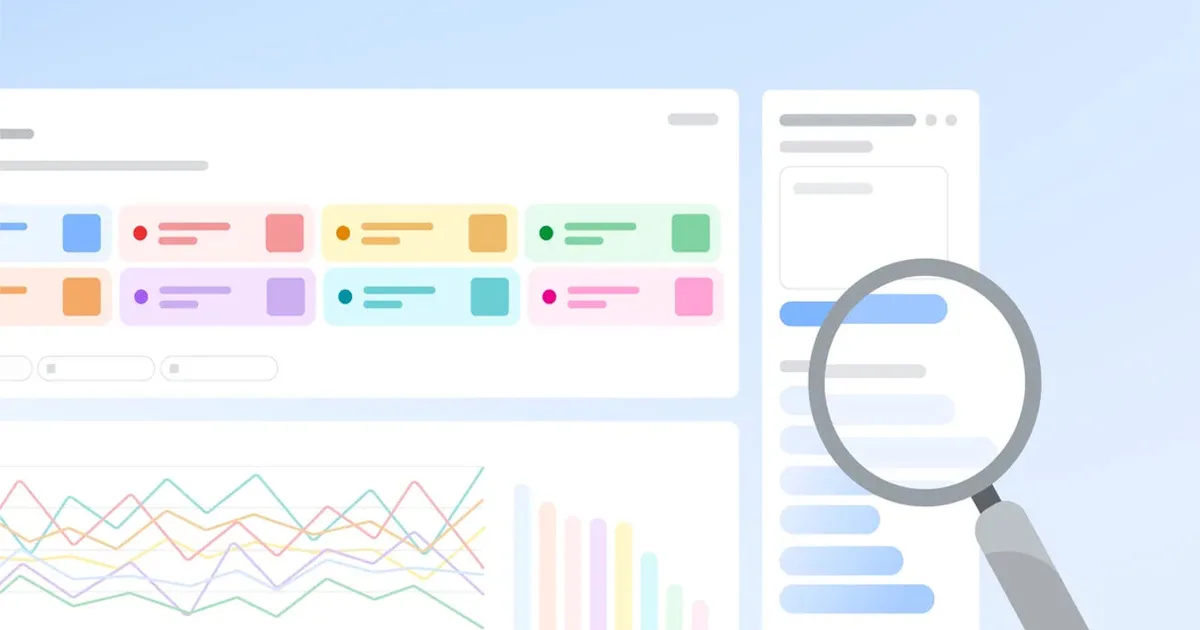
Google is also enhancing the visual appeal of Trends, which is essential for mobile users. Every query now boasts a unique color and icon, enhancing visual clarity and making it simpler to follow the lines on the graph without getting lost.
You can now compare multiple search terms simultaneously, and each timeline will display an array of rising queries. This added context goes beyond simply indicating what’s trending; it explains why certain topics are gaining traction.
Trending topics graph – Paulo Vargas / Digital Trends
Familiar filters for location, time frame, and search type remain intact, but the new layout is tighter and more pleasing to the eye, making quick scans during your busy day a breeze.
What’s Next? Keeping an Eye on the Rollout
Google has announced that this improved experience will gradually roll out, initially on desktop and then to mobile devices. Availability will depend on your location, but one thing is clear: the future of Trends is shifting towards a more proactive stance, delivering insights instead of waiting for users to piece them together.
If Google Trends is a tool you frequently leverage, make sure to check the Explore page on your mobile device to see if the update has reached you. If not, don’t worry; broader availability is expected to follow as this rollout continues.
By embracing this enhanced experience, you’re not just keeping up with the trends—you’re mastering them. So dive in and uncover the insightful patterns that can transform your understanding of what’s hot in the digital world!