Unlocking the Future: iOS 26.1 RC Debuts Tinted Liquid Glass, Camera Swipe Toggle, and Exciting New AI Features
iOS 26.1: A Breath of Fresh Features and Fixes for Your iPhone
If you’ve ever found yourself fumbling with your iPhone, accidentally opening the camera when all you wanted was to check the time, you’re not alone. The latest update, iOS 26.1, is here to address those little frustrations and enhance your user experience. Apple has clearly taken our feedback to heart, refining its software to not only fix annoyances but also elevate usability. Let’s dive into what this update brings to the table for all you beauty and tech enthusiasts out there.
Goodbye, Accidental Camera Opens!
One of the most anticipated changes in this update is the ability to disable the camera’s lock screen shortcut. How many times have you pulled your phone from your pocket only to find an accidental photo of… well, your pocket?
- New Camera Toggle: No longer will your phone take unintentional snapshots of mundane moments. This toggle can be found under Settings > Camera.
It’s a small adjustment, but it significantly enhances the daily user experience—thank you, Apple!
Enhanced Visual Clarity
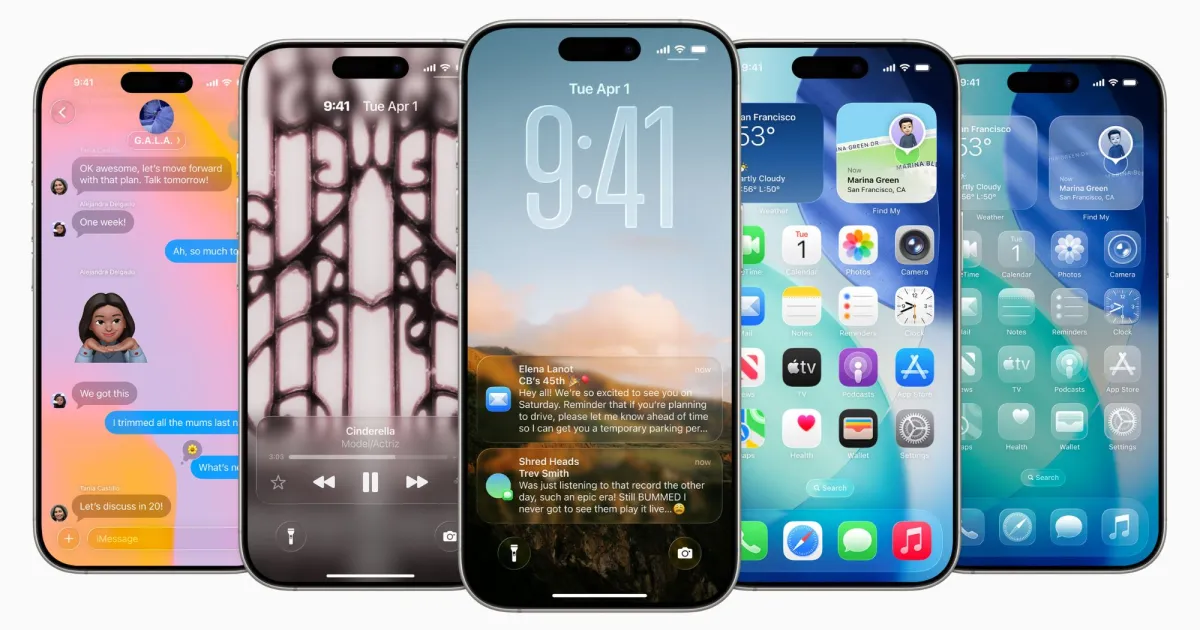
Have you noticed that glossy "Liquid Glass" aesthetic? Sometimes it looks stunning, but it can also be tough on the eyes. In iOS 26.1, Apple introduces a new option to switch from the regular “Clear” look to a “Tinted” setting.
- Improved Readability: The tinted option increases contrast, helping you see menus and notifications more clearly. It’s all about making your beautiful screen more usable!
Image Credit: Apple
Cognitive Power Boost
Apple isn’t just cleaning up; it’s making your iPhone smarter. The new update enhances Apple Intelligence capability, enabling support for an array of additional languages such as Turkish, Dutch, and Vietnamese.
- Live Translation: If you’ve got AirPods, you can now enjoy live translations in Mandarin, Italian, Japanese, and Korean. Perfect for globe trotters or international chat enthusiasts!
Image Credit: Apple
A Few More Little Treasures
Beyond the headline features, this update is sprinkled with several minor but delightful enhancements:
- Slide to Stop Alarms: A small touch that makes waking up just a bit easier.
- Local Capture for Screen Recordings: This new addition gives you more control and flexibility in your recordings.
- Music App Experience: Swiping between songs has become smoother, making your listening experience even more enjoyable.
- Fresh Apple TV Icon: The Apple TV app now flaunts a sleeker, cleaner look without the “+”.
The Verdict: Is It Worth It?
So, should you break out the party bells for this update? In truth, iOS 26.1 isn’t packed with explosive new features. Instead, it feels like a thoughtful refinishing of existing ones, addressing minor irritations that make a major difference in your day-to-day life.
Apple’s focus on the finer details shows they are genuinely committed to enhancing the user experience—something we can all appreciate. Overall, it’s a solid update well-worth installing.
Embrace these enhancements in iOS 26.1 and experience your iPhone like never before! Upgrade today and enjoy a smoother, smarter, and more intuitive mobile experience.