Unlocking Productivity: How Microsoft’s Voice-Controlled Copilot AI Enhances Windows 11
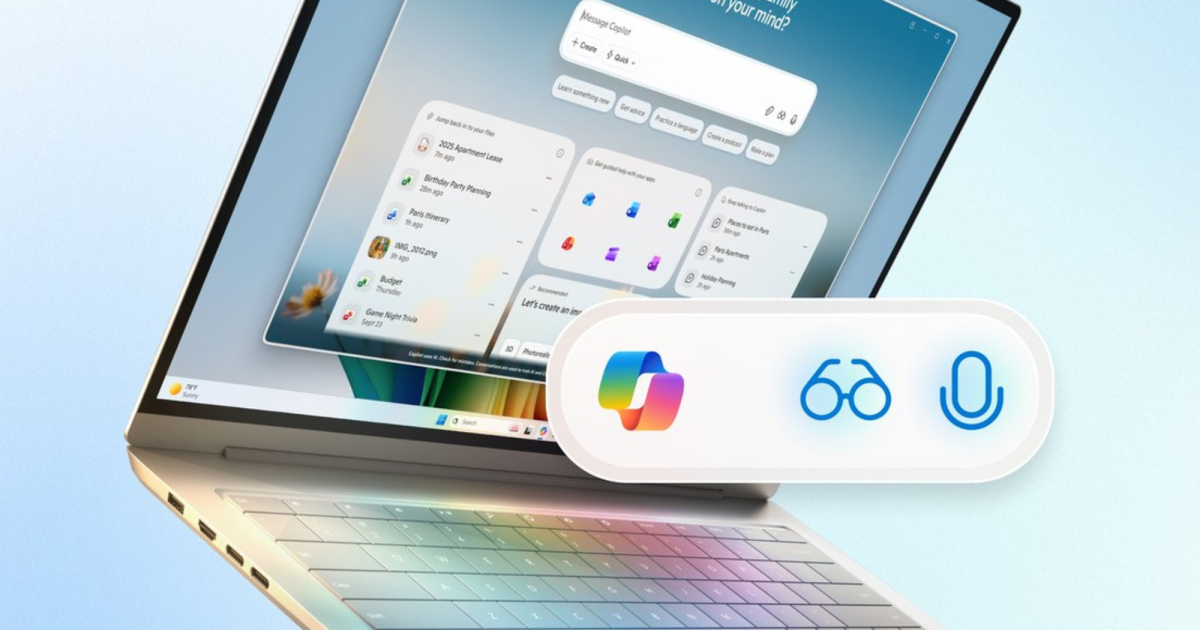
Introducing an extraordinary leap in personal computing, the latest update to Windows 11 is making waves with the integration of Copilot AI. This innovative assistant is designed to seamlessly transform your user experience by listening, seeing, and assisting you every step of the way. Imagine having a digital companion that enhances your productivity and streamlines your daily tasks with a mere voice command.
What’s New with Windows 11?
Microsoft is rolling out an impressive suite of AI-driven features aimed at bringing a fresh level of interactivity to your desktop experience. Central to this update is the Copilot AI, which redefines the dynamics of how we communicate with our computers.
- You can activate your AI assistant by simply saying, “Hey, Copilot,” and conclude a conversation with “Goodbye.”
- Another exciting addition, Copilot Vision, allows the assistant to visually analyze the content on your screen. This means you can receive tailored responses, insightful tips, or even troubleshooting guidance based on what you’re working on—bringing a new dimension to problem-solving.
- Additionally, Copilot Actions is set to enhance your Windows experience by managing complex, multi-step tasks through natural language commands. Currently rolling out for Windows Insiders, this feature will soon empower users to execute commands smoothly.
Why This Matters?
The release of these features follows the end of support for Windows 10 on October 14, 2025. Microsoft’s goal is crystal clear: to motivate users to upgrade to the latest operating system and uncover its full potential.
- The ability to engage with Copilot using both voice and text-based prompts marks a significant milestone for desktop computing.
- Beyond the Copilot functionalities, Windows 11 will also see essential upgrades in security, accessibility features, new widgets, an enhanced File Explorer, and a rejuvenated Start Menu design.
What’s in It for You?
As a Windows 11 user, tapping into these new Copilot features can dramatically elevate your productivity levels. This isn’t just about convenience; it’s about reimagining your workflow.
- The assistant can now manage your system preferences, organize files, and even retrieve insights from your Microsoft 365 or Gmail documents. For gamers, the Gaming Copilot offers in-game assistance, currently available in beta.
- Once Copilot Actions moves past the beta phase, it will potentially handle tasks like accessing your hotel reservations and flight details directly from your email. You can instruct it to download this information, share it with a contact, and even compose follow-up emails—all by issuing straightforward commands.
Looking Ahead
Microsoft is committed to enhancing Copilot’s capabilities in the coming months. Expect smarter integration with third-party applications through Connectors, currently accessible to Windows Insiders. As Copilot grows more intuitive, it will start suggesting actions based on your habits and the content on your screen, making your workflow even more effortless. Furthermore, a new “Ask Copilot” feature will be added to the taskbar, allowing you to quickly search for apps, files, and receive one-click answers.
The future of computing is here—embrace it! With Windows 11 and Copilot AI at your fingertips, the possibilities are endless. Are you ready to elevate your digital experience and transform the way you work? Dive into these innovative features today and witness a smarter, more efficient way to interact with your PC.