Unlocking Convenience: Android Auto to Enhance Smarter Features with Gemini Shortcuts and Home Screen Widgets
Gemini Shortcuts and Widgets: Changing the Game for Android Auto
Imagine a driving experience that’s not just smarter, but also effortlessly tailored to your everyday needs. With the introduction of Gemini shortcuts and widgets, Android Auto is set to revolutionize how you interact with your vehicle. These exciting updates are on the horizon, promising to enhance convenience without sacrificing safety.
What’s on the Horizon?
Recent insights reveal that Google is gearing up for substantial updates to its in-car system, Android Auto. According to Android Authority, the latest beta version (15.6.154404-release.daily) has uncovered intriguing features that are likely to make your driving experience more streamlined and intuitive.
-
The newly discovered Gemini shortcuts may soon replace traditional Google Assistant Actions. This means you’ll be able to execute multi-step commands simply by tapping your infotainment screen.
- Additionally, a feature referred to as “Earth” is being teased. This will allow you to add widgets from your Android smartphone directly to your Android Auto home screen, as noted in the same beta version.
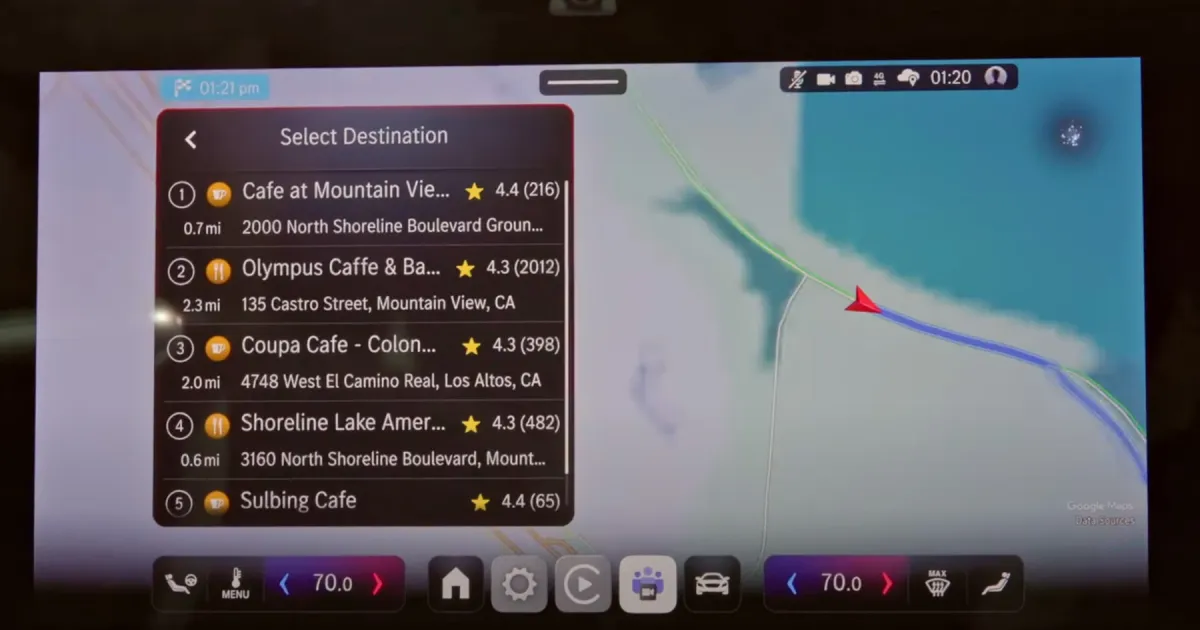
Image Credit: General Motors
Enhancing Your Driving Experience
These new functionalities are more than just upgrades; they are aimed at making your time on the road safer and more efficient.
-
Gemini Actions will give users the ability to streamline routine tasks, reducing the time spent on multi-step operations. You can expect the essential information to be displayed right on your dashboard, making for a smoother experience without needing to reach for your smartphone.
- Widgets have already become fan favorites among Android users, and it’s only a matter of time before they make a significant impact on Android Auto as well.
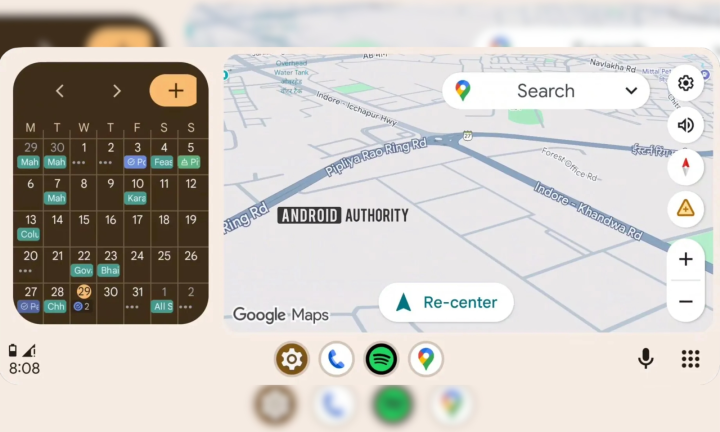
Image Credit: Android Authority
Why These Features Matter to You
The introduction of Gemini Actions offers the potential to create shortcuts for daily tasks, revolutionizing your driving routine. For example, imagine programming a single button to find the nearest gas station and guide you there via Google Maps. What once took several steps—opening Maps, searching, selecting, and routing—could now be reduced to a single tap.
Moreover, the anticipated home screen widgets will grant you quick access to important information, like your calendar or weather updates, at a glance. Although the current widget support appears to be in its infancy, the potential for growth is exciting.
In Summary
As you navigate your daily life, these updates promise not just efficiency, but an overall richer experience with Android Auto. Whether you’re commuting to work or embarking on a road trip, staying connected and informed will be more seamless than ever before.
Feeling inspired? Embrace the future of driving with these innovative changes. Stay tuned for updates on your Android Auto experience and get ready to elevate your time behind the wheel!