Unlock Your Productivity: How This Simple Android Trick Helps Me Achieve More on My Phone Than My Laptop
I once believed that my desktop PC was my ultimate productivity hub. With its expansive screen, full keyboard, and that undeniable vibe of “serious work mode,” it felt indispensable. However, as I explored my capabilities further, I discovered that my Android phone could manage just as much—if not more—when equipped with the right tools.
By leveraging features like split screen, App Pairs, and a curated selection of productivity apps, I can research, write, and organize my tasks efficiently while I’m away from my laptop. It may not completely replace my standard work setup, but it undeniably enhances my productivity on the go.
How App Pairs Transformed My Android Experience
Unlocking True Multitasking Potential
For years, I’ve been a fan of split screen functionality on my Android device. In the earlier days, when screens were smaller, using two apps simultaneously felt a bit clumsy. But now, with larger displays, the split screen feature offers a refreshing sense of true multitasking—something that used to be exclusive to laptops and tablets.
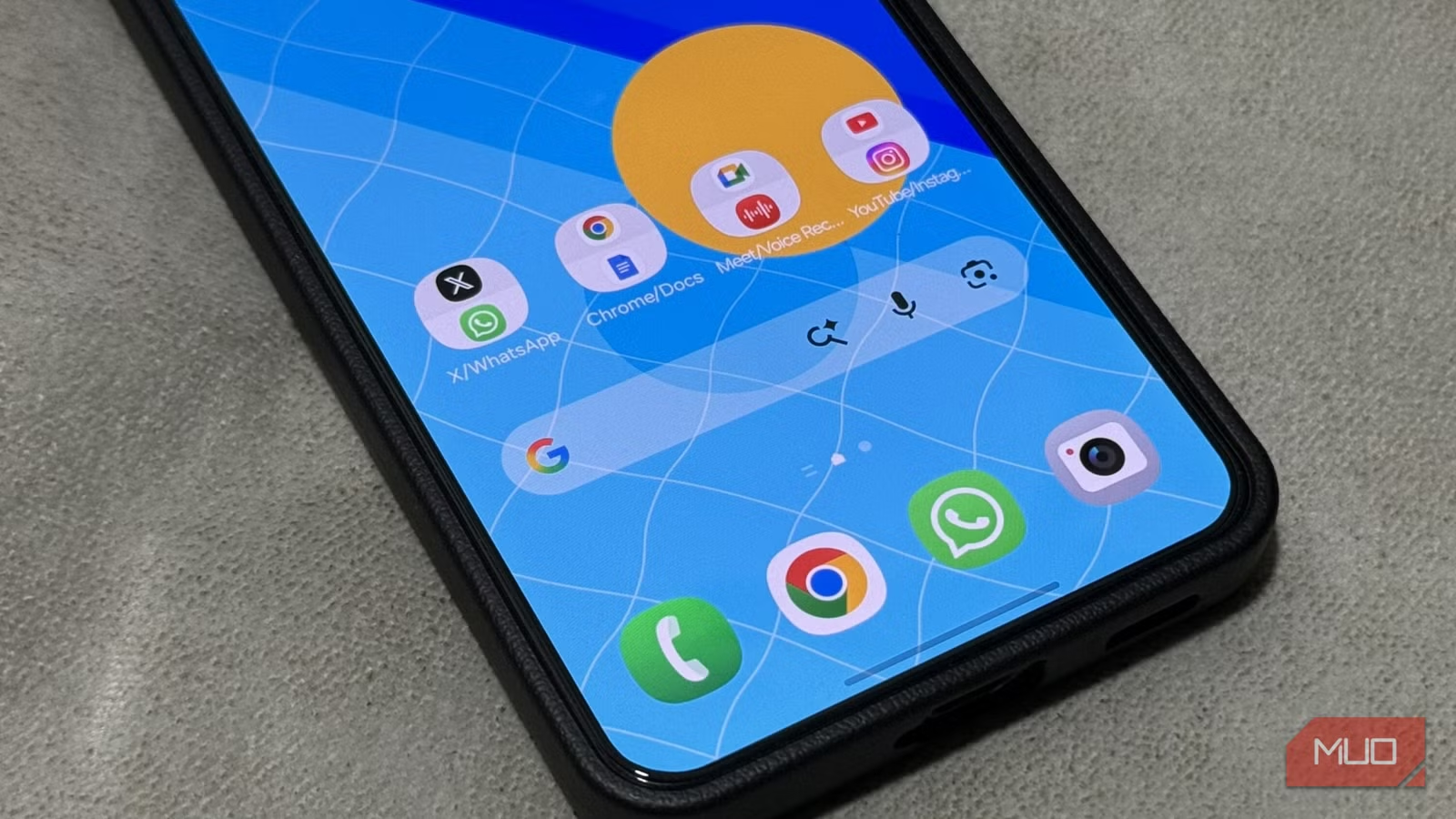
When App Pairs emerged, it transformed this enhanced multitasking experience into something even more efficient. These clever shortcuts allow you to open two apps in split screen with just a tap.
No more dragging and resizing every time! Now I can seamlessly switch to my usual combos—whether it’s browsing the web for research in Chrome while drafting in Google Docs, or watching a tutorial on YouTube while chatting in Messages.
Quick Setup for Effortless Use
One of the standout features of App Pairs is how easy they are to set up. Here’s how to get started:
- Open your first app.
- Access the recent apps view, tap the app icon, and select Open in split screen view.
- Choose your second app, and arrange them side by side.
- Tap the three dots in the middle divider and select Star to save your setup.
- Finally, pick Home screen to create your App Pair.
In just seconds, you’ll have a home screen shortcut that launches both apps in split screen instantly. This is perfect for organizing your workflow—place it anywhere that suits you best. Plus, for Samsung users, you can add App Pairs to the Edge panel for even quicker access.
Elevating Productivity with App Pairs
Depending on your needs, App Pairs can adapt to countless scenarios. Personally, I have established pairs for research and writing, messaging while watching tutorials, and managing my schedule alongside note-taking.
Even during commutes or while waiting for appointments, App Pairs excel in keeping me productive. I can scroll through my Instagram feed while enjoying a YouTube video, allowing me to entertain myself without missing a beat on other tasks—a nifty workaround since I don’t subscribe to YouTube Premium.
With my Samsung S22 Ultra sporting a generous 6.8-inch screen, both apps are comfortably viewable. Android’s flexible split screen feature allows me to adjust the app ratios to fit my workflow even more effectively. On foldable devices, this experience becomes even more immersive, as both applications operate in harmonious tandem.
Conclusion
Available on most Android smartphones running version 15 and above, App Pairs elevate the productivity game for mobile users. Even if your device is older, exploring alternatives like the Be Nice app can offer similar functionality.
If you haven’t yet embraced the split screen and App Pairs on your Android device, now is the perfect time to elevate your multitasking experience. Dive into your newfound productivity potential today—you might be surprised at just how much you can achieve!
Let’s turn those mobile moments into meaningful accomplishments—because your productivity deserves it!