Unlock Seamless Multitasking: How to Talk and Type Simultaneously on ChatGPT
OpenAI has just unveiled an exciting update that transforms the way we interact with ChatGPT, making it more accessible and user-friendly. Imagine seamlessly conversing with an AI companion—without the interruptions and chaos of floating screens! This new voice mode allows you to engage naturally, whether you’re on the web or mobile, enhancing your overall experience.
A Seamless Transition to Voice
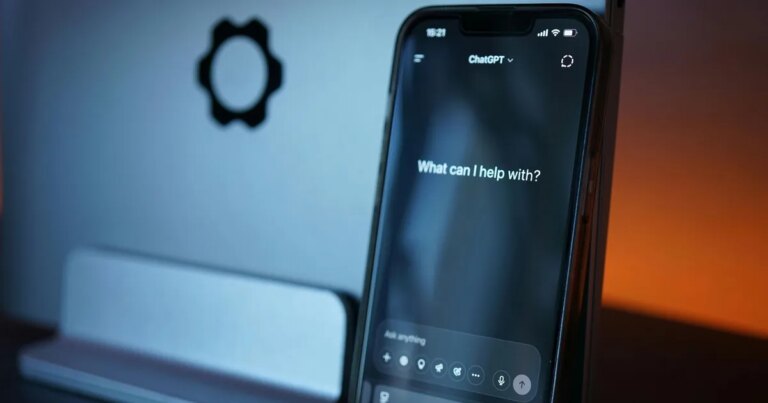
Previously, chatting with ChatGPT using voice activated a disjointed experience. You were forced to look at a floating blue circle, disrupting your flow and keeping you from revisiting previous messages. Now, that’s all changed. You can speak, and your responses appear in real-time as text, ensuring you never lose track of your conversation. This redesign finally acknowledges how we communicate—a blend of speaking and reading, especially when multitasking.
Unsplash
Why This Matters
The essence of effective communication lies in its fluidity. The new setup removes the barriers that previously impeded a natural dialogue. Whether you’re juggling tasks or simply prefer to speak, this voice capability allows for a much more organic interaction—making ChatGPT feel like a modern assistant rather than just another application.
- Real-Time Responses: Watch as your spoken words transform into text instantly.
- Visual Aids: Look at images or maps while maintaining a conversation, adding context and clarity.
- Less Distraction: No more switching between voice and text modes; everything is integrated beautifully.
Levart_Photographer / Unsplash
A Fluid Interaction
Consider how valuable this is for brainstorming sessions or problem-solving. You can check facts or revisit previous messages without disrupting the flow of conversation. This all-new experience turns ChatGPT into an intuitive and supportive tool, one that’s always ready to assist you effortlessly. When you’re finished, just tap “end,” and you’re back to typing in an instant.
What Lies Ahead for ChatGPT Voice
Fortunately, this enhanced voice mode is now the default for all users. However, if you’re one of those who preferred the old, focused full-screen layout, OpenAI has you covered. There’s a “Separate mode” toggle in the settings allowing you to revert to the past format if you choose.
This shift represents a clear commitment by OpenAI to make ChatGPT feel less like a program and more like a partner. By accommodating voice, text, and visuals seamlessly, it ensures that your conversations remain as engaging and productive as possible.
Embrace this new way of interacting with ChatGPT—your personal assistant is now more capable than ever. Dive in and explore the possibilities of this cutting-edge functionality today!