Unlock Adobe’s Advanced Photo and PDF Editing Tools Directly in ChatGPT
Your favorite chat companion just got a remarkable upgrade! Imagine having the powerful capabilities of Adobe’s Photoshop and Acrobat at your fingertips while using ChatGPT. This integration allows you to effortlessly edit images and manage documents without the hassle of toggling between separate applications. Whether you’re a creative professional or a casual user, this new feature is designed to elevate your editing experience.
What’s New?
With the latest enhancement, you can harness the power of Adobe directly within your ChatGPT interface. Here’s a glimpse of what this seamless integration offers:
- Photo Editing: Utilize Photoshop Express features for tasks like cropping, background removal, retouching, and applying filters.
- PDF Management: Edit and organize PDFs with Acrobat. Merge files, add comments, sign documents, redact sensitive information, and convert formats with ease.
- AI Assistance: Get instant suggestions from ChatGPT for design ideas, content improvements, or layout enhancements as you work.
How to Use Adobe Tools in ChatGPT
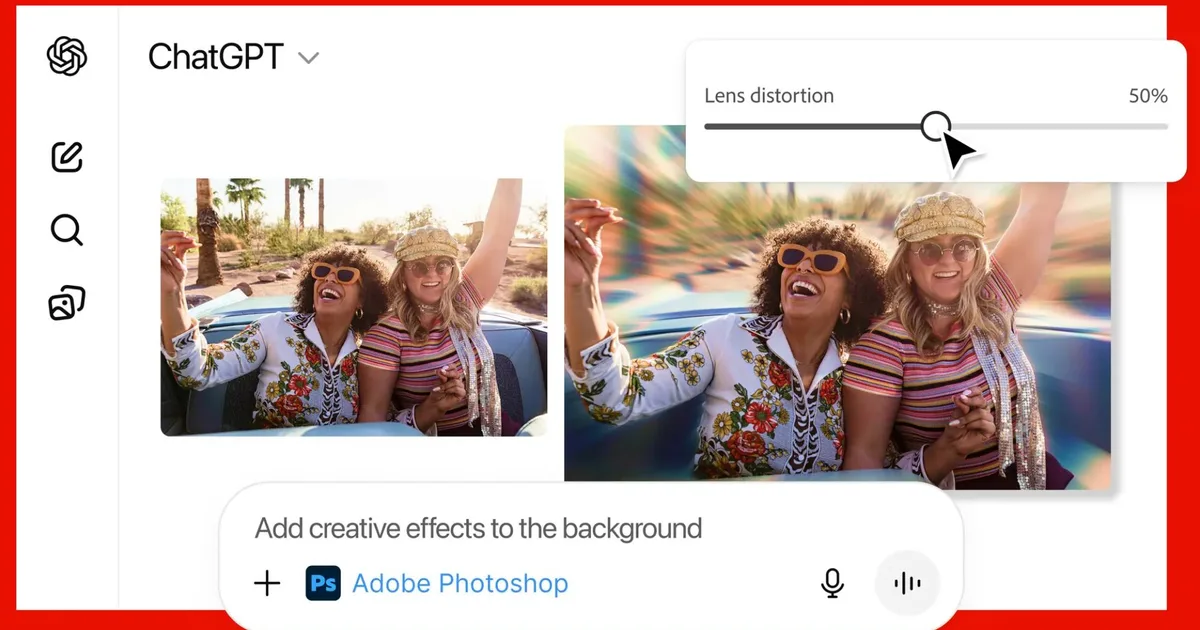
Using Adobe’s suite in ChatGPT is incredibly user-friendly. Start by uploading your file directly in the chat, then simply type a request. For instance, you might say, “Adobe Photoshop, can you blur the background of this image?” The app will activate right within your conversation, allowing you to make ongoing adjustments as needed.
Image Caption: Adobe Photoshop tools integrated with ChatGPT
As you work, Adobe may offer variations of your edited images or provide adjustable sliders for fine-tuning elements like brightness and contrast. This interactive experience not only enhances your creativity but also keeps your workflow smooth and continuous.
Acrobat Integration
The features of Acrobat integrate similarly. To save or export your work, just log into your Adobe account. It’s worth noting that accessing these tools directly within ChatGPT is completely free, making it an attractive option for everyday users.
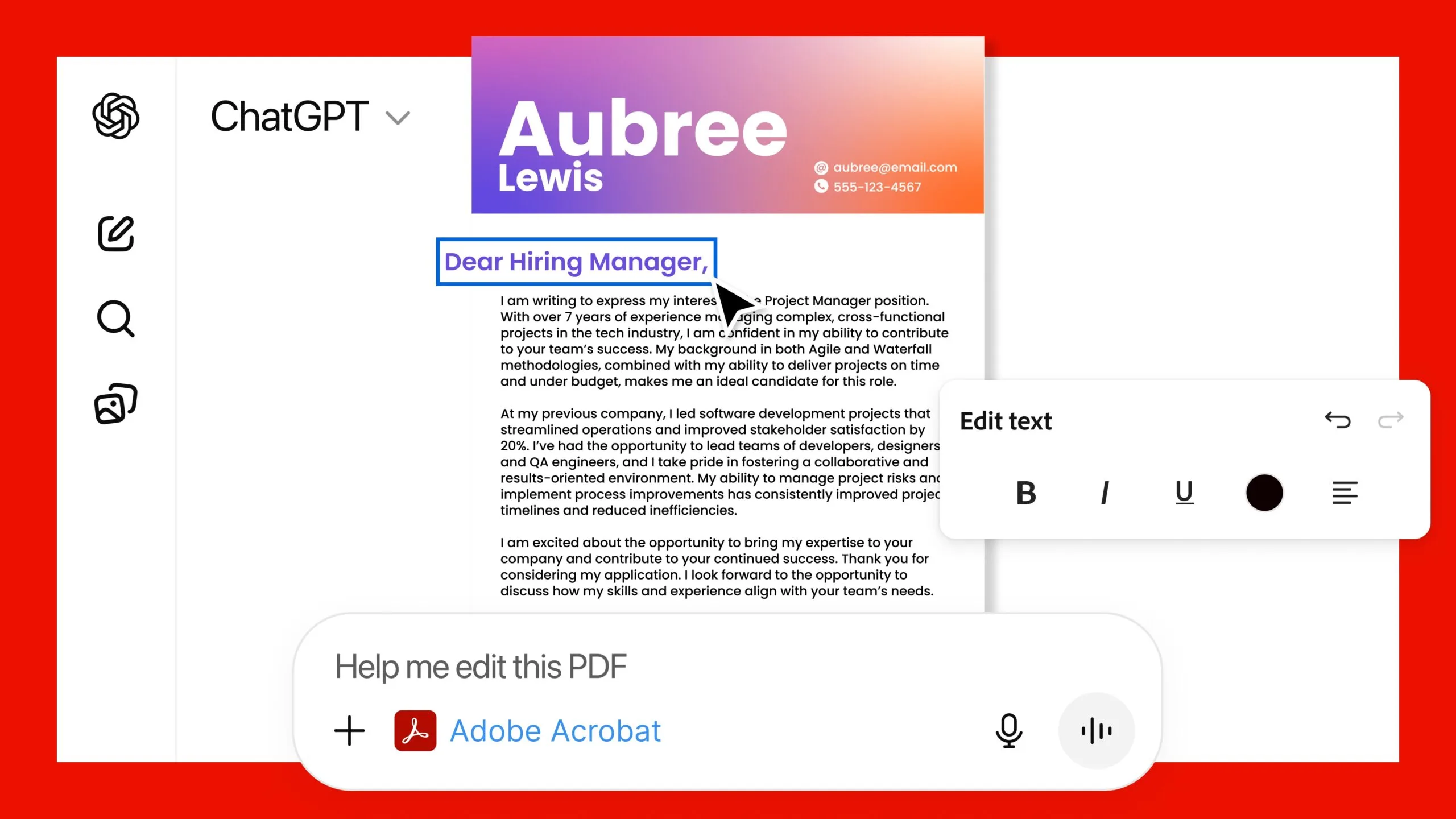
Image Caption: Adobe Acrobat tools enhancing document editing in ChatGPT
While these tools excel at handling everyday editing and document tasks, for those epic and intricate changes, the full version of Adobe’s applications will still be your best bet. However, this update transforms ChatGPT into a practical workspace, merging frequently used functions into a single, conversational environment.
Embrace the Future of Editing
As Adobe’s powerful tools join forces with ChatGPT, you have the opportunity to elevate your creative and document management processes like never before. This integration not only streamlines your tasks but also enhances your productivity. Why juggle multiple applications when you can enjoy everything in one place?
Ready to experience the future of editing? Dive into this innovative setup and watch as your creative ideas materialize effortlessly. Embrace this technology and make your workflow smoother today!