Revolutionize Your Bookmarking: How This Free App Transformed My Browsing Experience
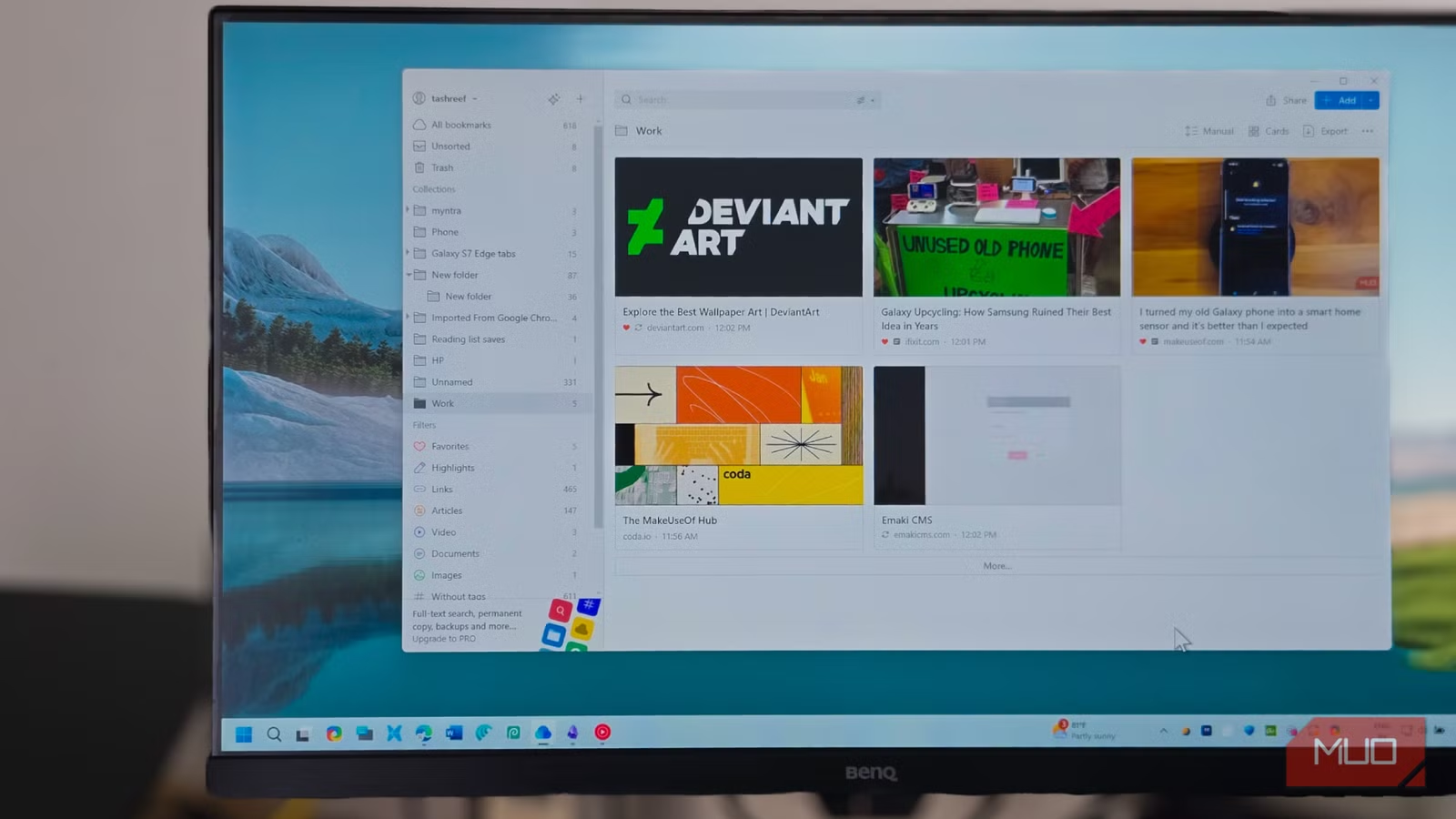
When’s the last time you truly engaged with your browser bookmarks? If you’re anything like many of us, the answer might be "not for a while." It’s not due to a lack of desire to save useful pages; it’s because traditional bookmark systems often feel cumbersome and outdated. Yet, there’s a solution that’s transforming how we manage online content: Raindrop.io.
Raindrop.io aims to revolutionize the bookmarking experience, offering a sophisticated solution that syncs seamlessly across all devices. After just a few days of use, my relationship with bookmarks has changed drastically; it’s a surprisingly delightful experience.
Intuitive and Modern UI
Effortless Bookmark Management
Raindrop.io boasts a sleek, intuitive interface that prioritizes user-friendliness. Adding bookmarks is a breeze with the browser extension, and everything automatically syncs across your devices. No more manual updates or hassle!
One standout feature is the ability to enrich each bookmark with Markdown notes, allowing you to add context easily. You can also organize bookmarks into collections, tag them, or mark favorites for quick access. The Tabs feature is particularly useful, enabling you to save your entire browsing session with a single click—ideal if you need to restart your browser without losing your ongoing research.
To navigate through your bookmarks, simply click on Extensions and choose the sidebar option for Raindrop.io. This opens the bookmark manager alongside your current page, with a powerful search bar that lets you find bookmarks by name, tags, date, or type. Want to see only your favored bookmarks? Just filter them with a click.
The viewing options are diverse. While the default list view is functional, you can switch to Cards for visual previews, Headlines to scan titles efficiently, or Moodboard for a creative overview of visual content. Each bookmark displays a preview image, which makes it easier to recognize what you saved, eliminating the confusion of vague titles.
Powerful Features
Advanced Search and Organization Tools
Raindrop.io’s search capabilities significantly heighten usability. Though the standard search bar is effective, the Semantic Search feature takes things further. It employs natural language processing to help locate bookmarks, even when you can only recall a specific phrase from the content itself. This allows you to search directly within saved texts, PDFs, and EPUB files.
Another personal favorite is the Highlight feature. As I read, I easily highlight pivotal passages (just press Alt + X) and categorize them using different colors. When I revisit the article, I can jump directly to highlighted sections, making it easier to recall critical points.
Organization is more flexible than traditional folders, allowing you to tag and categorize content. You can save a single article in multiple collections, enhancing cross-referencing capabilities. The system even tracks broken links, marking them so you’re alerted when resources vanish. Premium users have the advantage of saving permanent copies of pages, protecting against link decay.
Cross-Platform, Collaboration, and Offline Support
Access from Anywhere
My tech setup includes a two-in-one laptop, a gaming laptop at my desk, and an Android phone where I do most of my reading. Previously, tracking articles was a challenge. I resorted to taking screenshots on my phone, which cluttered my gallery.
Thanks to Raindrop, I can bookmark an article on my phone during my commute and seamlessly continue on my laptop at home. It’s compatible with iOS, Android, macOS, Windows, Linux, and web browsers—truly a cross-platform marvel. The mobile apps are robust, matching the desktop experience, allowing you to organize, search, and annotate just as efficiently.
Additionally, Raindrop.io supports collaboration on bookmark collections. While bookmarks remain private by default, you can share collections via public URLs or invite specific contacts to co-manage resources. This feature is fantastic for teams building shared libraries, allowing smooth collaboration and organization beyond basic email or Slack threads.
Raindrop Makes Bookmarks Useful Again
My needs for a bookmark manager are straightforward: I need a seamless way to save, organize, and access my bookmarks across devices. Raindrop.io excels at fulfilling these basics, leading me to proudly recommend it to anyone seeking a better bookmarking solution.
If you’ve been hesitant about browser bookmarks, Raindrop’s free plan is an excellent place to start. It’s generous enough to help you determine if it fits your workflow. For those desiring more features, the Pro version is affordably priced at about $28 per year, unlocking additional capabilities.
Discover the beauty of organized bookmarking with Raindrop.io, and elevate your digital experience today!