Merlin
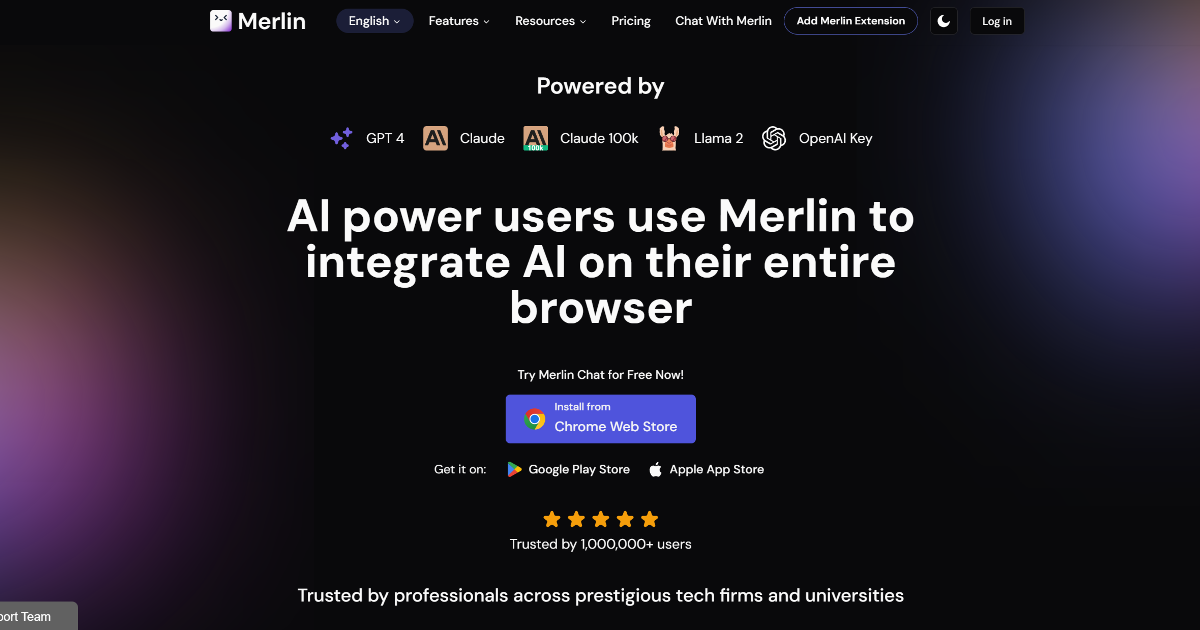
In today’s fast-paced digital landscape, staying ahead requires tools that enhance efficiency and productivity. Merlin, an innovative AI-powered Chrome extension, offers a seamless integration of advanced artificial intelligence into your daily online activities. Whether you’re drafting emails, summarizing articles, coding, or translating content, Merlin serves as a versatile assistant, streamlining tasks and boosting workflow automation.
What is Merlin?
Merlin is a cutting-edge AI tool designed to integrate seamlessly with your web browsing experience. By embedding AI capabilities directly into your browser, it transforms routine tasks into efficient processes, enhancing your overall productivity. Its user-friendly interface and robust features make it an indispensable productivity tool for both personal and professional use.
Key Features of Merlin
-
ChatGPT Integration: Engage with ChatGPT directly within your browser, receiving AI-powered assistance across various tasks.
-
Multi-Language Support: Translate content into over 25 languages, making it accessible to a global audience.
-
Content Summarization: Quickly summarize YouTube videos, blogs, and documents, saving valuable time.
- Free GPT-4 Access: Utilize advanced AI interactions with free access to GPT-4.
Benefits and Advantages
Merlin offers several advantages that enhance user productivity:
-
Enhanced Productivity: Significantly reduces the time spent on routine online tasks, allowing users to focus on more critical activities.
-
Seamless Integration: Works effortlessly across a wide range of websites, including LinkedIn and Gmail, ensuring consistent AI assistance without switching between tools.
-
User-Friendly Interface: Easy to install and use, with a minimal learning curve, making it accessible even for non-tech-savvy users.
- Cost-Effective: Offers a generous free tier with 102 daily queries, making advanced AI accessible to everyone.
How Merlin Works
Merlin operates as a Chrome extension, embedding AI capabilities directly into your browser. This integration allows for real-time assistance across various platforms, including Gmail, LinkedIn, and YouTube. By leveraging multiple AI models like ChatGPT, GPT-4, Claude2, and Llama 2, Merlin provides versatile support tailored to your specific needs.
Use Cases / Real-World Applications
-
Content Creators: Generate and summarize content across platforms, enhancing efficiency in content production.
-
Developers: Write and debug code more efficiently, utilizing AI-powered coding tools to reduce errors.
-
Marketers: Craft engaging social media posts and emails, improving outreach and engagement.
- Students and Researchers: Summarize articles and papers, aiding in studies and academic projects.
Comparison with Alternatives
Unlike standalone chatbots, Merlin integrates multiple AI models into a single, seamless Chrome extension. This versatility allows users to leverage the specific strengths of each AI model across different tasks and websites, offering a level of convenience and efficiency that is unmatched by other tools. (allesora.com)
Pricing and Plans
Merlin offers a generous free tier with 102 daily queries, ensuring accessibility for casual users and those exploring its features. Details on Pro Plans are not specified but indicate flexibility or customization based on user needs. For the most accurate and up-to-date pricing details, visit the official website.
Pros and Cons
Pros:
-
Enhanced Productivity: Significantly reduces the time spent on routine online tasks.
-
Seamless Integration: Works effortlessly across a wide range of websites.
-
User-Friendly Interface: Easy to install and use, with a minimal learning curve.
- Cost-Effective: Offers a generous free tier with 102 daily queries.
Cons:
-
Browser Limitation: Currently only available as a Chrome extension, limiting its accessibility to users of other browsers.
-
Query Limit: Free users may find the daily query limit restrictive for heavy usage.
- Language Limit on Queries: The character limit for queries might hinder extensive research or detailed interactions in non-English languages.
Tips for Getting the Most Out of Merlin
-
Explore All Features: Take time to familiarize yourself with Merlin’s diverse capabilities to fully leverage its potential.
-
Customize Settings: Adjust preferences to align Merlin’s assistance with your specific workflow and requirements.
- Stay Updated: Regularly check for updates and new features to ensure you’re utilizing the latest advancements.
Conclusion
Merlin stands out by integrating multiple advanced AI models—ChatGPT, GPT-4, Claude2, and Llama 2—into one seamless Chrome extension. This integration allows users to leverage the specific strengths of each AI model across different tasks and websites, offering a level of convenience and efficiency that is unmatched by other tools. Its unique blend of features, ease of use, and generous free tier position Merlin as an essential tool for anyone looking to leverage AI for personal or professional use.
For more information and to explore Merlin’s capabilities, visit the official website.