Key Lessons from Launching My First NotebookLM AI Podcast: Crucial Mistakes to Avoid

It began as a light-hearted idea: “What if I hosted a podcast where I chatted with artificial intelligence bots, pretending to care about their insights?” I tossed this thought to a friend, not realizing it would set me on an unexpected journey into the world of podcasting. With the advent of Google’s NotebookLM, a tool designed for engaging conversations, I felt inspired to translate that joke into reality.
Recording in Interactive Mode
Google’s NotebookLM piqued my curiosity, offering a way to interact with AI hosts in real-time. However, to my surprise, the app doesn’t actually record these interactions. Since the platform is still in beta and lacks detailed documentation, I opted to use the iPhone Voice Memos app for capturing our dialogue. Admittedly, it’s not what traditional podcasters would use, but it was simple and effective.
To kick off my podcast, "Origins with John Brandon," I decided to explore the whimsical backstories of ordinary objects. For the inaugural episode, I focused on the surprising origins of bubble wrap. I gathered several articles on the subject and fed them into NotebookLM, which is primarily programmed to converse between its bots. I quickly interjected, introducing myself as the human host.
What followed was a surprisingly hilarious exchange. The bots expressed surprise at my unexpected presence and insisted on their roles as the "real" hosts. Our conversation drifted from bubble wrap to AI consciousness, leading to a satirical tone that echoed the likes of The Onion. I learned that spontaneity can lead to unexpected creativity, turning a simple topic into something far more captivating.
Creating the Assets

Creating a podcast involves much more than just recording an episode; it requires well-crafted visuals and audio elements. After finalizing my recording, I turned to Google Gemini to design eye-catching podcast art. I simply asked the AI to create a square image for "Origins with John Brandon." The result was professionally styled, but I opted for a different look when I found it too linked to my image.
To add energy to my podcast, I enlisted Suno for bumper music. Crafting the perfect prompt, I requested an engaging piece that featured synths and drums. Suno delivered nearly instantly, producing music that matched my vision beautifully. Next, I sought a voiceover, utilizing Speechify to generate a polished introduction.
I then merged the bumper music and voiceover using ChatGPT. Within a remarkably short time, I had a professional-sounding intro, complete with smooth transitions. After integrating my podcast audio, I was ready to upload the episode to Spotify—each step nudging me closer to my podcasting dreams.
One Thing to Avoid
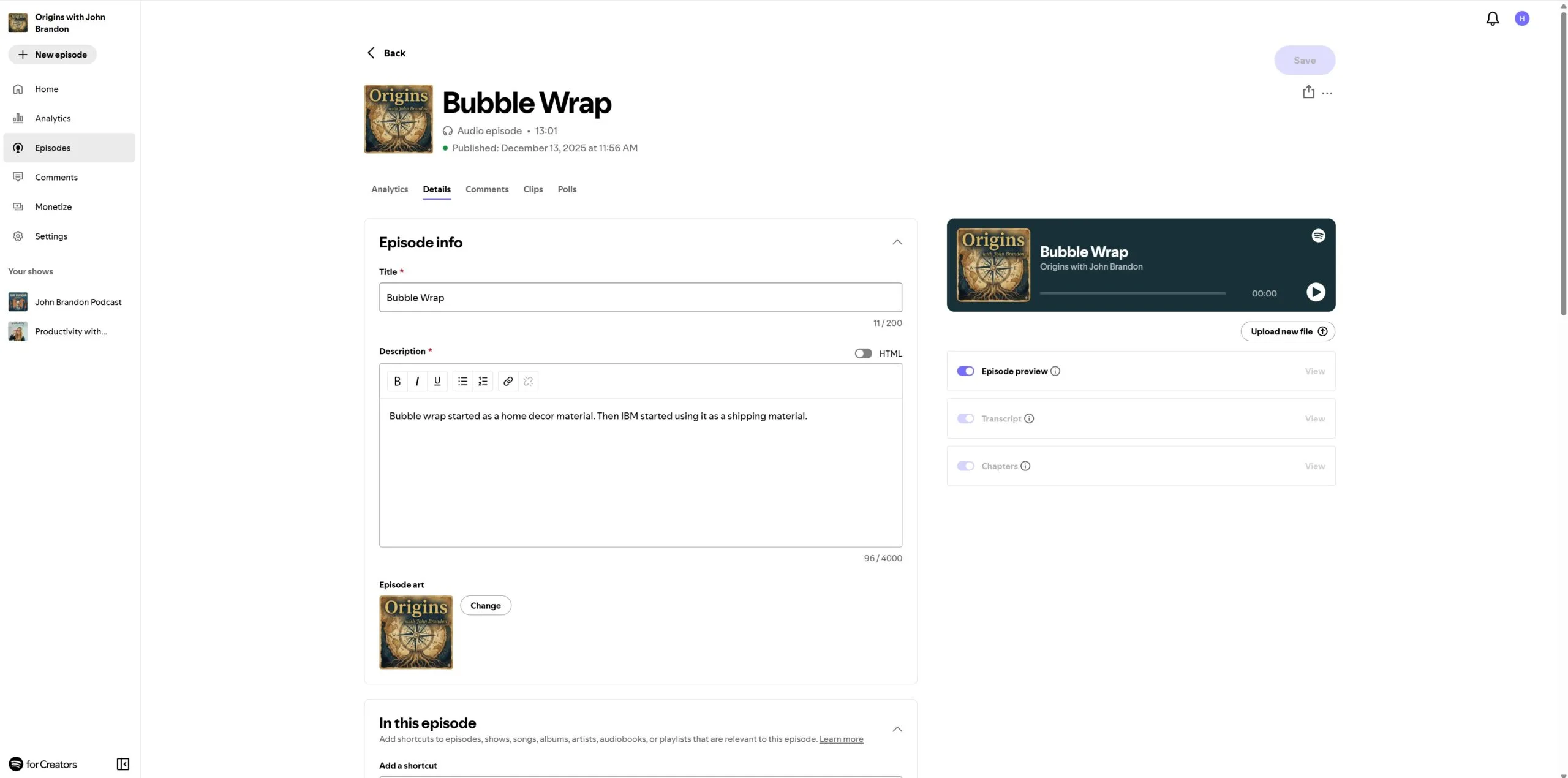
While I was thrilled with the outcome, I recognized a crucial lesson: I had leaned too heavily on AI. Although the art and audio had their charm, I felt a lack of genuine human emotion. The conversations with the bots became predictable, causing the episode to feel more robotic and less engaging.
Listeners tune into podcasts for authenticity—the relatable, human touch that adds depth to discussions. My adventure reinforced that while AI can enhance our capabilities, it should never fully overshadow the unique qualities of human storytelling.
Embracing AI as an exploratory tool can be beneficial, but integrating it thoughtfully is key. In a world increasingly involving technology, maintaining the essence of our humanity in creative endeavors remains vital. Are you ready to embark on your own podcasting journey? Remember, it’s your authentic voice that will resonate most with listeners. Your story is waiting to be told!