How I Transformed My Daily Routine by Setting Perplexity’s Comet as My Default Browser for Task Automation
Imagine having a digital assistant that seamlessly integrates with your daily routine, streamlining tasks and enhancing productivity. Meet **Perplexity’s Comet browser**, a groundbreaking tool that offers unparalleled capabilities for the beauty-conscious professional looking to optimize their workflow. Unlike traditional AI tools that rely on pre-existing data, Comet navigates the web as we do, ensuring you stay current and efficient.
Since its launch, I’ve embraced Comet as my go-to browser, and for good reason. This innovative tool tackles the tedious tasks I often dread, allowing me to focus on what truly matters. With customizable shortcuts and seamless automation, I can effortlessly manage spreadsheets, summarize content, and handle emails—all without disrupting my flow.
Currently, Comet is accessible to **Perplexity Max** and select **Pro subscribers**, along with those who join the waiting list. Let’s explore how this exceptional tool can redefine your online experience!
Comet and Custom Shortcuts
Efficient Task Management with Custom Shortcuts
Comet operates as an **on-demand automation browser**. To perform tasks, you need to provide it with instructions each time—a process that can become repetitive. Instead of typing the same phrases over and over, why not simplify things with **Comet shortcuts**?
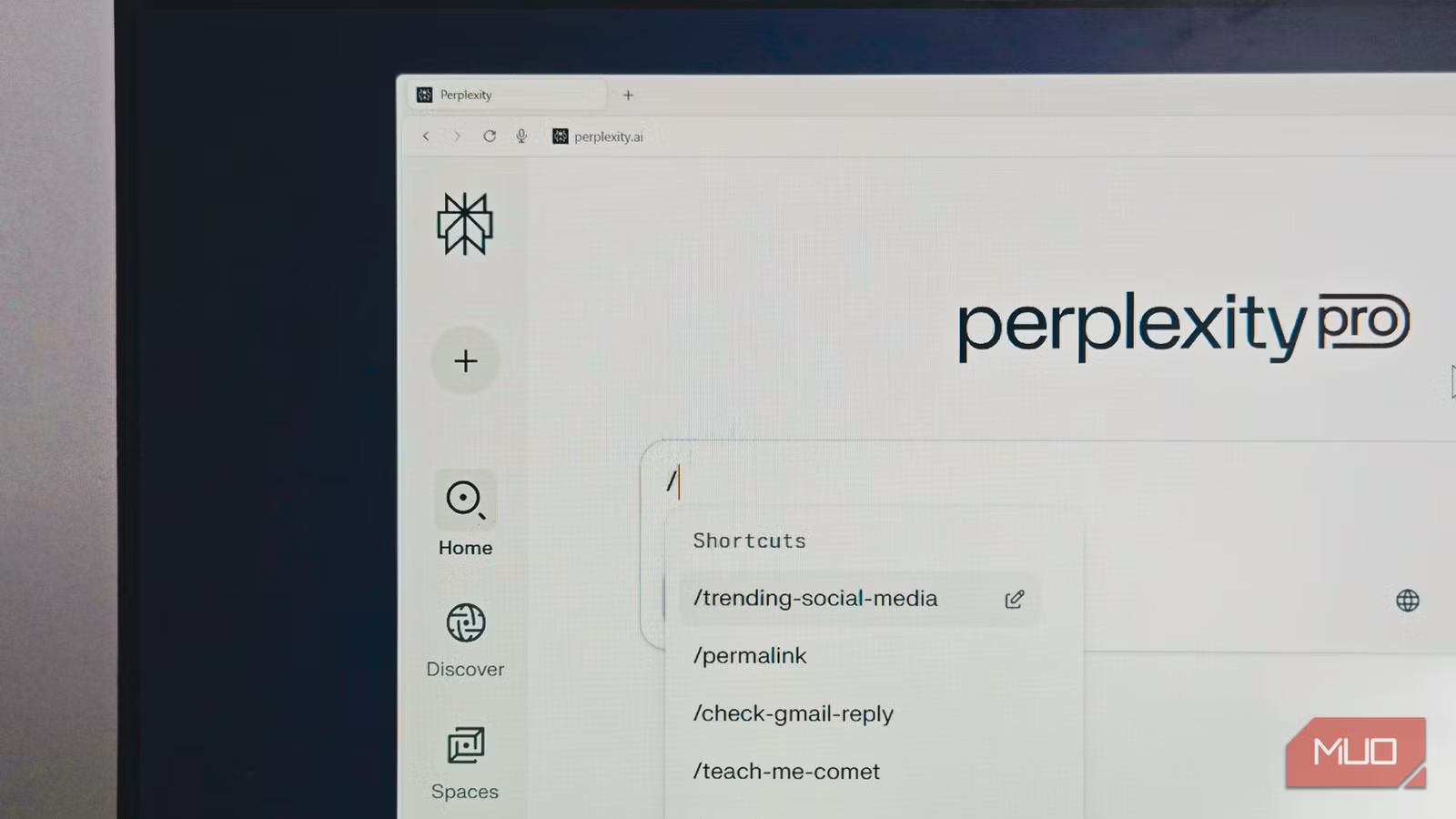
With Comet, you can assign a prompt to a custom word, acting as a text expander. For instance, if you wish to find the latest social media trends, you could create a shortcut like /trending-on-social-media. This way, when you type / and select your shortcut, Comet automatically fills in the request, saving you precious time.
Creating a shortcut is a breeze: just type the slash (/) in the Comet assistant, select Create a shortcut, and enter your details. Adjust the mode, model, and source under advanced settings, then hit Save.
Update My Worksheet with Completed Tasks
Seamless Updates to Google Sheets from Asana
If you manage multiple projects, chances are you keep a Google Sheet to track your submissions. But manually updating it by switching between platforms can be a hassle. Thanks to Comet, that can be a thing of the past.
By creating a **Comet automation**, I can now save time managing my tracking sheet. When I type /update-sheet, Comet finds all tasks marked as published in Asana and seamlessly updates my Google Sheet, ensuring all titles are current and preventing duplicates.
Organize My Tabs
Smart Tab Management
By midday, my browser often resembles a cluttered workspace, filled with various tabs from research to documentation. While I’ve used traditional tab management tips, Comet’s capabilities take organization to the next level, effortlessly grouping tabs by relevance or project.
With features like @tab, I can reference any open tab directly without the need to switch. If I’m researching product comparisons, using @ProductPage lets me ask questions without losing my place.
Review My Previews
A Second Pair of Eyes for Error Checking
Before hitting submit, I always preview my articles; yet, minor errors can slip through after hours of editing. With Comet, I’ve created a shortcut, /review-preview, that serves as an invaluable second set of eyes. It checks for grammatical errors, verifies links, and assesses adherence to the style guide—catching those pesky mistakes that often go unnoticed.
Automated Tasks
Schedule Recurring Tasks
Comet’s automation feature allows for custom scheduling of daily, weekly, and monthly tasks. Each morning, it conveniently updates me on Asana tasks and comments, while twice a week, it checks my Amazon Subscribe & Save items and adjusts them as needed.
Additionally, I’ve set up a daily digest of tech news. Every evening at 7 PM, Comet scans the web for new articles, summarizing important content without overwhelming me with irrelevant information. It’s an exquisite approach to staying informed without getting lost in the digital noise.
Embracing AI Meaningfully
For those of us who live in our browsers, **Comet** represents a significant leap in productivity. This tool doesn’t just automate mundane tasks; it integrates artificial intelligence into your daily workflow in a truly effective manner. With Comet, you could save minutes to an hour each day, liberating your time to focus on what truly inspires you.
So, are you ready to elevate your efficiency and unburden yourself from repetitive tasks? Embrace the future of browsing with Comet, and transform your digital experience starting today!