How Gemini and Veo 3.1 Crafted an Impressive iPhone Rival: Stunning Results Revealed
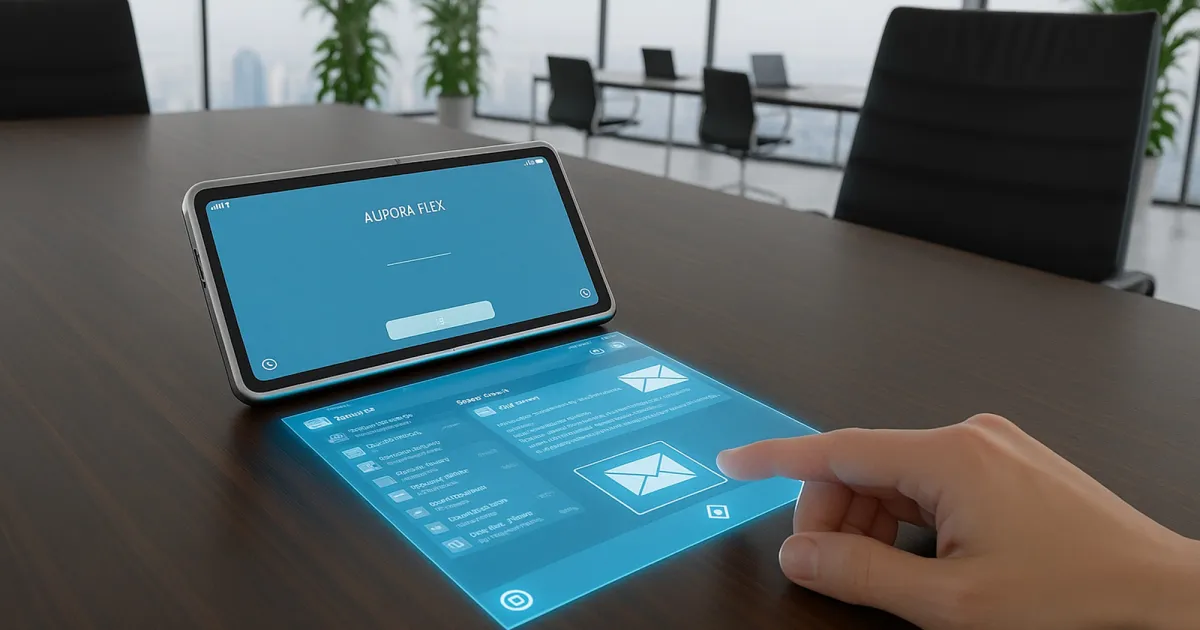
Google Gemini can generate design mock-ups and even a promo video
In today’s world of tech innovation, standing out requires creativity and vision. Enter Google Gemini, not just a capable homework assistant, but a dynamic ideation tool that’s capturing the attention of designers and innovators alike. It’s perfect for those who appreciate elegance in technology and seek to push the boundaries of innovation.
The Power of AI in Design
Many may view Google Gemini as merely a helper for mundane tasks, but its capabilities extend far beyond. Recently, I decided to leverage this powerful tool to create a smartphone concept that could rival the iPhone Air. With a few simple prompts and the Veo 3.1 video generator, I crafted a promotional video that brought my idea to life.
The results were nothing short of stunning. Gemini’s speed and accuracy in transforming my prompts into a tangible prototype were remarkable. It not only articulated features but also produced beautifully rendered mock-ups that sparked my imagination.
Step 1: Define Your Idea Clearly
When approaching Gemini, clarity is key. Specific prompts lead to creative outputs. For my project, I outlined:
- Design a new iPhone Air that runs Android
- Make it thinner than the Air
- Include a holographic display interaction
Much to my surprise, Gemini responded with a detailed design, rich in features, reminiscent of a skilled human designer’s work. Even though the initial mock-up wasn’t entirely practical, it ignited excitement.
The image appeared almost magically, beckoning me to explore its potential. Despite its impracticalities, I felt a pang of desire to hold it and see how it performed.
Step 2: Enhance Your Design
Next, I sought to refine the design. I encouraged Gemini to integrate a holographic display to elevate the concept beyond a mere iPhone substitute. However, the first iteration of this holographic interface was challenging; the display pointed upward, making interaction difficult. Yet, therein lay Gemini’s greatest strength—it fueled my creative thinking.
After a few attempts, Gemini presented a design named Aurora Flex. I adored the name, and the updated concept featured a more realistic projection mechanism.
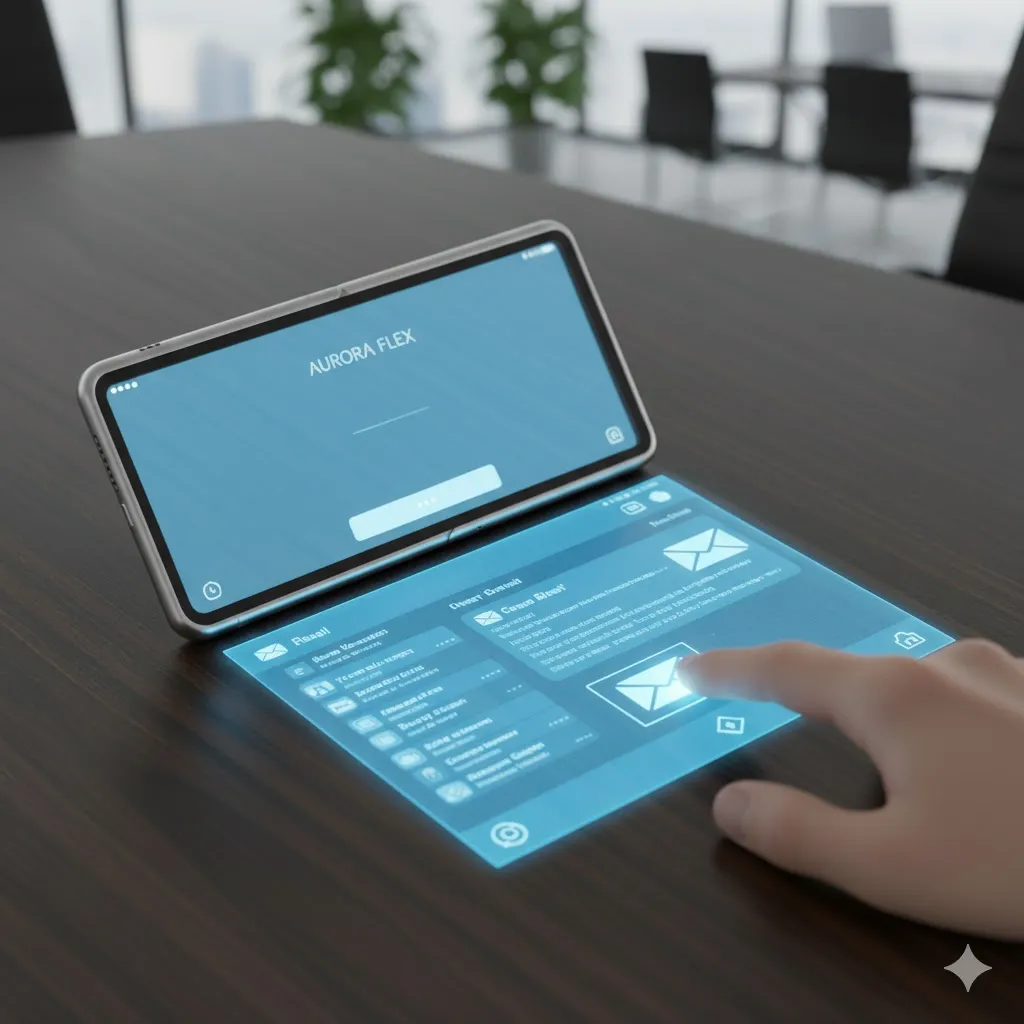
This new design showcased a smaller projector lens and nous to interact with its display. While it took iterations and candid feedback to achieve this, the experience was rewarding. Unlike working with a traditional designer, Gemini welcomed an abundance of adjustments without complaint.
Step 3: Create an Engaging Promotional Video
With my mock-up finalized, the next logical step was to create a promo video that illustrated how the Aurora Flex would come alive in everyday scenarios.
I crafted a prompt for Gemini:
- "Show a person using this phone, saying, ‘Here is the new Aurora Flex phone, the future of smartphones with the first true holographic display.’"
The result was enchanting. Not only did the video feature my design, but a spokesperson articulated my prompt perfectly, showcasing an interactive experience.
The produced video managed to visualize the concept effectively, even with minor quirks—like an awkward interaction with the prototype.
Key Takeaways from My Creative Journey
Engaging with Google Gemini was invigorating. I discovered that the joy of ideation through AI can be a delightful exercise in creativity. The entire process, from conception to video production, lasted less than 20 minutes, making innovation accessible and fun.
While traditional designers rely heavily on detailed user feedback and focus groups, AI gives us the liberty to dream without bounds. Apple, take note—there’s a new challenger on the horizon.
Full Design Specs and Features
To give you a clearer picture of the initial mock-up’s capabilities, here’s a succinct overview of the Aurora Flex design specs:
1. Design & Dimensions
- Folded Thickness: 7.4mm
- Unfolded Thickness: 3.5mm
- Chassis Material: Recycled magnesium alloy
- Weight: ~190g
2. Displays
- Inner Display: 7.8-inch Flexible E-Ink Kaleido 3
- Outer Display: 3.5-inch OLED Notification Ribbon
3. Key Features
- Operating System: Custom Android—limited color options for a focus-oriented experience.
- Battery Life: 4–5 days on a single charge.
- Integrated Stylus: Allows for smooth, paper-like writing experience.
- Haptic Feedback: Innovative notification alerts via device vibrations.
4. Target Audience
This device caters perfectly to writers, academics, and digital minimalists seeking a modern yet functional smartphone experience.
Through this creative process, I found myself inspired and excited about the possibilities technology can bring to life. Ready to try your hand at design with Gemini? Let your imagination run wild and see what you can create!