Exploring OpenAI’s ChatGPT Atlas: Surprising Discoveries Within the First 24 Hours
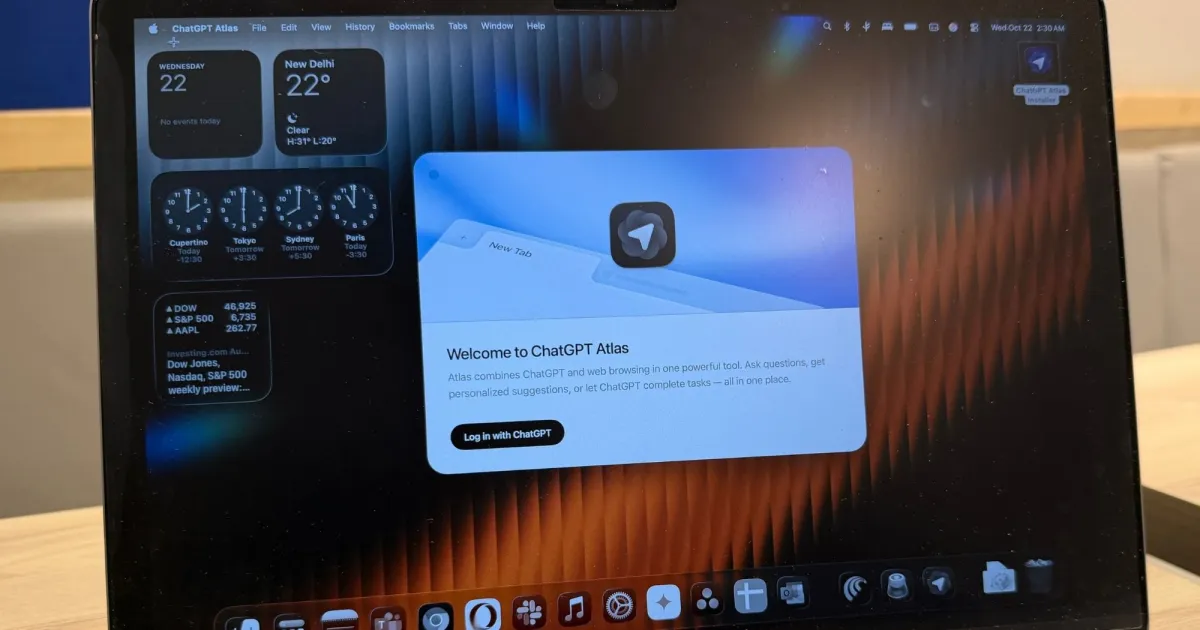
OpenAI has entered the competitive realm of web browsing with its innovative ChatGPT Atlas, a browser that promises to redefine how we surf the internet. For a sophisticated audience that values beauty and efficiency, this new tool aims to not only compete with established giants like Chrome but also with AI-forward contenders such as Comet and Dia. As we explore the capabilities of Atlas, you might find yourself intrigued by its effortless blend of functionality and elegance.
A User-Friendly Experience Awaits
ChatGPT Atlas is designed on a clean, Chromium-based interface, making for a familiar browsing experience. Upon launching Atlas, users will notice how seamlessly it integrates extensions, bookmarks, and login credentials, creating a space that feels almost like home. The homepage features a centralized search tool that sets the tone for efficient browsing.
Utilizing a sleek sidebar, Atlas houses familiar ChatGPT controls, offering quick access to your search history, library, and custom GPTs. A distinctive feature is the dedicated sidecar that appears when you click the “Ask ChatGPT” button, allowing for quick queries without navigating away from your current page. This design minimizes clutter, enhancing productivity.
Key Features of the Sidebar
- Integrated Search: Quickly find what you need using the advanced searching capabilities.
- Personalized Library: Easily access your saved content and previous searches.
- Chat History: Effortlessly revisit past interactions.
One standout feature is the browser memory, which clusters all your search queries and chats related to specific topics. If you remember snippets of an article but not its source, simply input those keywords, and Atlas can retrieve it for you.
Innovative Functionalities at Your Fingertips
One of the most exciting aspects of Atlas is its ability to provide an experience reminiscent of classic Google searches. Instead of losing you in a maze of AI-generated results, it presents answers across five distinct categories, making it easy to navigate information without feeling overwhelmed.
The browser’s design isn’t just about aesthetics; it’s functional too. With the always-on ChatGPT cursor, you can quickly verify facts or conduct background research without needing to switch tabs. This is perfect for users working on reports or needing immediate information as they type.
How the Cursor Enhances Productivity
- Quick Research Access: Instantly get answers to pressing questions.
- Drafting Assistance: Receive help with rewriting or composing text seamlessly.
This innovation allows for smoother multitasking, especially in split-screen modes, where you can work across multiple applications effortlessly.
Exploring Agent Mode
Another remarkable feature of ChatGPT Atlas is Agent Mode, designed for autonomous task handling. This functionality can operate both in logged-in and logged-out states, although certain websites requiring frequent logins may not be fully compatible.
When given a prompt, the AI can autonomously navigate through websites, helping to streamline shopping or research tasks. For instance, by specifying criteria for an Amazon product, the AI efficiently navigates to the checkout page, making it remarkably useful for quick purchases.
Advantages of Agent Mode
- Autonomous Navigation: The AI handles website interactions on your behalf.
- Research Efficiency: Quickly gathers and summarizes information, saving you valuable time.
However, it’s essential to note that while Agent Mode provides convenience, it may not always be the quickest option compared to competing browsers like Comet.
Areas for Improvement
Despite its promising features, ChatGPT Atlas faces challenges. It lacks some essential functions that rival browsers offer, particularly multi-tab awareness. This feature permits users to streamline their shopping or research across several tabs with easy comparisons and information aggregation.
Moreover, Atlas doesn’t yet offer the same customization capabilities through shortcuts or skills available in Dia and Comet. This limitation can make multitasking less efficient for users accustomed to more interactive browsing experiences.
Conclusion: A Bright Future for ChatGPT Atlas
Overall, ChatGPT Atlas stands as a noteworthy entry into the browser market, boasting a clean interface, efficient features, and the elegance that your beauty-conscious lifestyle desires. As the browser evolves, it will likely address its current limitations and enhance its capabilities.
With growing concerns about privacy and data usage in the AI landscape, it’s essential to weigh how much of your personal information you’re willing to share. Will you trust your browsing experience to ChatGPT Atlas, or do you prefer to wait for established names like Google to catch up with these functionalities? The choice is yours, but one thing is certain: the future of browsing is more exciting than ever.
Explore the innovative world of ChatGPT Atlas and bring your browsing experience to new heights. Dive in today and see how it can cater to your unique needs!