Discover the Underrated Calendar App That Syncs Flawlessly and Outshines Google Calendar
Using Gmail often means you’re also navigating through Google Calendar. While it serves as a free and accessible tool on both mobile and web platforms, its functionalities can feel quite basic for those who require more robust features. If you find yourself managing more than just deadlines and bill reminders, you might want to explore alternatives that offer a richer experience.
Fantastical emerges as a standout option, brilliantly addressing the gaps where Google Calendar falls short. This app seamlessly integrates with your existing calendars, such as Google, iCloud, and Exchange, and enhances your scheduling with advanced features that transform your experience into something exceptional.
A Beautifully Designed Interface
Intuitive and Functional Design
One of the first features you’ll appreciate about Fantastical is its user-friendly interface. The innovative "ticker view" prominently displays your week, while an expandable month view and scrolling days provide easy navigation. In comparison, Google’s multiple view modes can come off as a bit clunky.
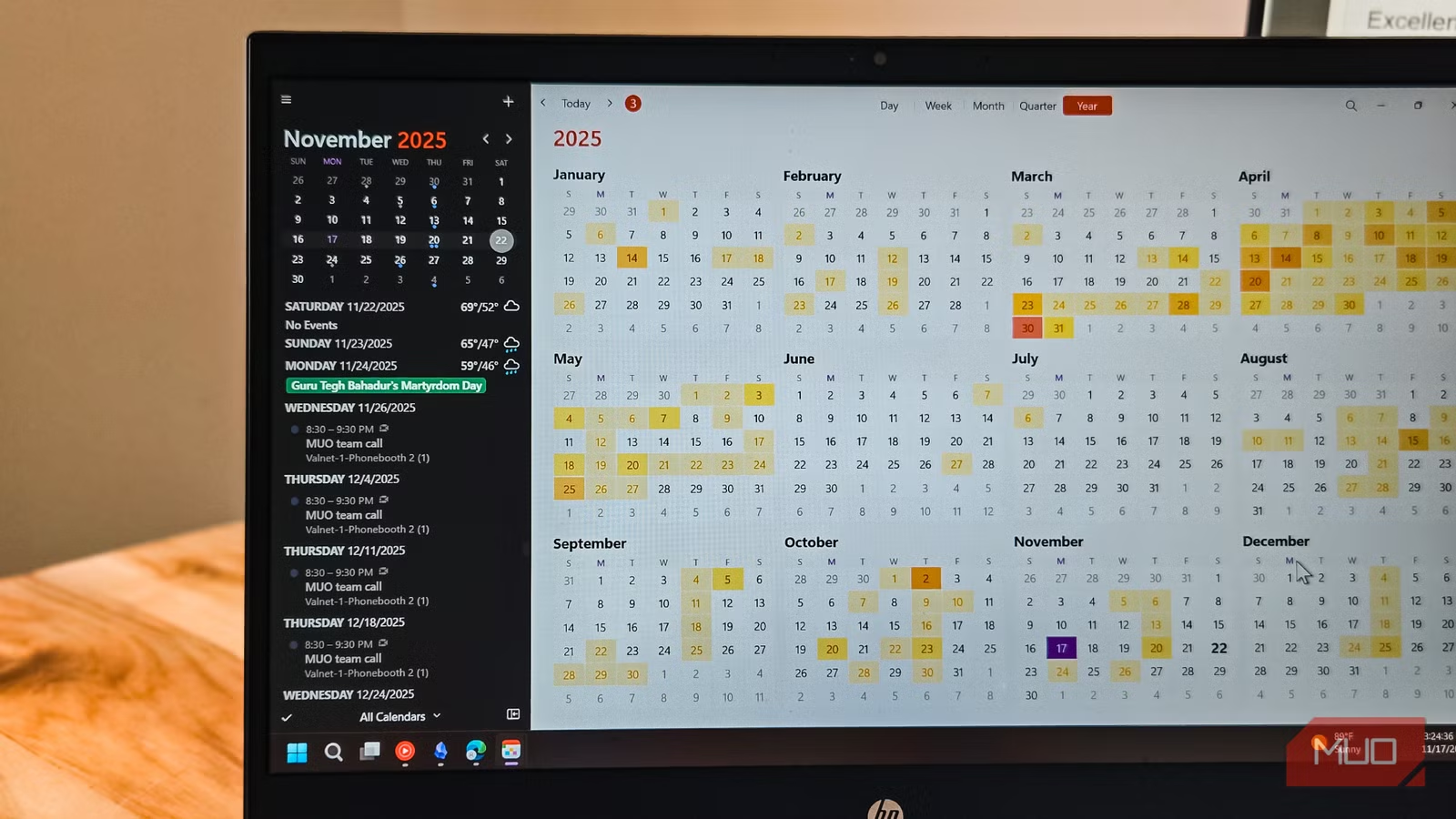
On your PC, clicking the app icon in the system tray reveals a compact calendar widget that allows you to see your day at a glance. This means no more juggling between multiple app windows just to check your schedule. The iOS widget also presents vital information without the need for excessive tapping.
Another smart feature on the PC is the menu bar calendar, which indicates event density with dots, giving you a quick visual guide to busy days. The agenda view lists your events with pertinent details rather than just colored blocks. And for those times when you need to add an event quickly, simply start typing, and Fantastical will fill in the details for you effortlessly.
Superior Integration and Sync Capabilities
Syncing with Your Existing Calendars
Fantastical excels in integrating with any calendars you currently manage, including Google Calendar, iCloud, Exchange, and Office 365. What makes it stand out is its well-crafted interface that enhances your calendar management while keeping your existing setup intact.
The synchronization process is seamless and instantaneous. Add an event in Fantastical, and it populates in Google Calendar immediately. Similarly, when you accept a meeting invite in Outlook, it’s reflected without delay. You can manage new invites and meeting schedules right from the main window, allowing you to respond by clicking Accept, Decline, or Maybe.
The app also shines in task integration, pulling tasks from Apple Reminders, Google Tasks, and Todoist. This means all your tasks and calendar events are displayed together, providing a comprehensive view of your commitments. You can even check off tasks directly from the calendar and create new ones with due dates, streamlining your planning process.
Effortless Event Adding and Scheduling
Utilize Natural Language Input
If you’re looking for a way to streamline event creation, Fantastical has you covered. Using natural language processing, you can describe your event in simple terms, and the app will handle the specifics. For instance, typing “Lunch with John every Tuesday” will generate a recurring event with all the relevant details structured correctly.
Moreover, it features an Openings function that simplifies the process of scheduling meetings. Instead of exchanging a flurry of emails to determine availability, you can share a link displaying your free time slots, allowing others to book directly into your calendar.
Customization Options Galore
Tailor Your Calendar Experience
Fantastical offers extensive customization, enabling you to create calendar sets tailored to different aspects of your life. Imagine having a "Work" set to focus solely on professional matters, a "Weekend" set for personal activities, and a "Family" set for shared events. Swapping between these sets is a breeze thanks to keyboard shortcuts or even location-based automation.
Incorporating weather updates and location maps within event details makes planning that much easier. The app shows a 10-day weather forecast right beside your calendar, eliminating the need to check a separate app for weather conditions affecting your plans.
Things to Keep in Mind
Limitations and Pricing
Despite its numerous advantages, Fantastical isn’t without its limitations. The absence of an Android app makes it less practical for those outside the Apple ecosystem. Additionally, the pricing can be a deterrent; at around $57 per year, it surpasses many streaming services.
The free version is quite limited, lacking full sync capabilities and many productivity features. When compared to Google Calendar, which offers robust functions without cost, the subscription may seem steep for casual users.
A Standout Calendar Solution
Fantastical is undeniably an impressive calendar app, especially for Apple users. With its intuitive natural language input, seamless synchronization, and thoughtful interface, it transforms the often tedious task of scheduling into a more enjoyable experience. While the yearly price may feel high to some, its value shines brightly for those who truly rely on advanced calendar features.
If you’re looking to elevate your scheduling game, why not give Fantastical a try? You just might find that it’s the perfect solution for your busy life. Ready to transform how you manage your time? Download Fantastical today and experience the difference firsthand!