Discover the Latest Features in Windows 11: Image Edits in File Explorer and Game Bar’s Gaming Copilot
The October Update: Enhancements for Widgets, Accessibility, and PC Gaming
If you thought Windows 11 couldn’t get any better, think again. The latest October update brings a host of features designed to streamline your daily activities, whether for work, leisure, or accessibility. With a keen eye for gamers and those who rely on assistive technology, this update aims to enhance your overall user experience.
What’s New in This Update?
In this round of improvements, Microsoft has made significant strides to simplify your interactions with Windows 11. Let’s delve into the standout enhancements that are set to transform how you engage with your device:
Streamlined File Explorer
File Explorer has been reimagined to make your workflow more efficient. Now, quick AI image actions appear right in the right-click menu, enabling you to effortlessly:
- Blur or erase image backgrounds.
- Utilize Bing Visual Search for more insightful results.
- Access a new Summarize shortcut for OneDrive and SharePoint, especially useful if you’re leveraging Copilot.
Additionally, you can now view People cards related to your work or school files, adding valuable context at your fingertips.
Upgraded Widgets
The Widgets section is getting a facelift as well. Expect a more refined Discover feed with stories curated by Copilot. You’ll find multiple boards organized with a convenient left-side navigation, and you can customize your lock screen widgets for quick access to crucial information.
Enhancements for Accessibility
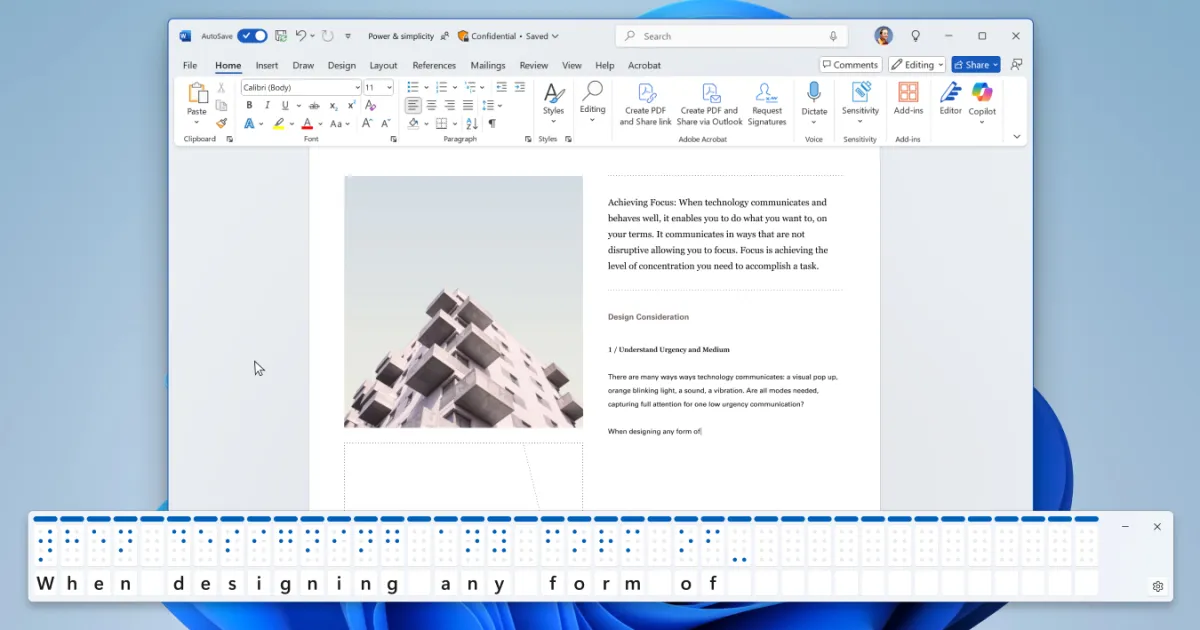
In a strong commitment to inclusivity, the Narrator now introduces a Braille viewer. This improvement allows for smoother navigation through Word documents, covering:
- Lists
- Tables
- Footnotes and comments
This feature is a game-changer for users who rely on Braille.
Gaming Made Easier
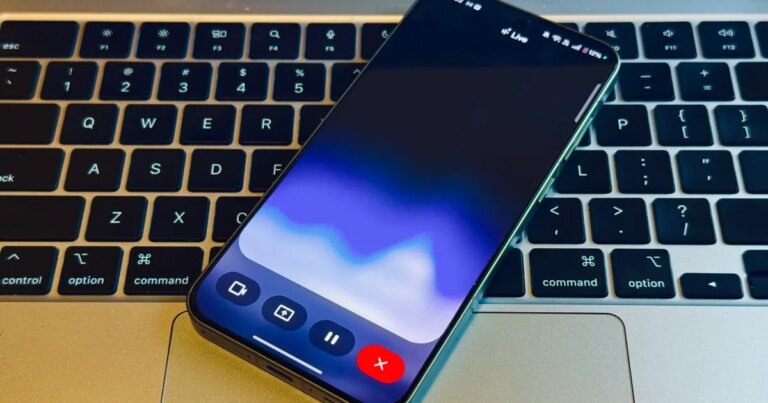
The gaming experience receives an upgrade too. With the integration of Gaming Copilot into the Game Bar, now you can enjoy:
- A new voice mode for easier game navigation.
- A unified Xbox PC app that brings together your library and play history.
- A Network Quality Indicator for fixing cloud-streaming issues before they disrupt your gaming flow.
Why These Updates Matter
You might wonder why these changes are significant. They alleviate minor annoyances that can frustrate your daily computing experience. Here’s how:
- File Explorer has become more capable by handling tasks on the spot, helping you save time.
- Widgets offer quicker access to information with innovative layouts and lock-screen options.
- Gaming assistance is integrated right where you enjoy playing, ensuring a seamless experience.
The Future of Windows 11
So, what’s on the horizon? Microsoft envisions an ecosystem where interaction relies less on traditional inputs like the mouse and keyboard. Instead, the aim is for a more inclusive, voice-activated experience. This could be a transformative step forward.
For those eager to experience these features, simply open Windows Update to see if you have the latest version of Windows 11. The rollout will be staged over the coming weeks.
How to Get the Update
To ensure you’re part of this exciting upgrade:
- Install the latest Windows 11 build.
- Apply the October security update to activate new features as they become available.
Stay tuned for even more features as Microsoft continues refining AI actions in File Explorer and expanding the Gaming Copilot’s availability.
Ready to Experience the Update?
Embrace these enhancements and discover just how much easier your tasks can become. With these updates, your workflow will be smoother, your gaming experience richer, and your computer more accessible than ever. Dive in, explore the new features, and see how they can elevate your Windows 11 experience!