Discover the Latest Agent.ai Enhancements: Exciting Features and Updates You Can’t Miss!

There’s always something exciting to uncover with Agent.ai, and today, we’re thrilled to share the latest insights into thrilling updates and features designed just for you. The enhancements we’ve rolled out aren’t just about aesthetics; they’re here to maximize your productivity and elevate your experience to new heights. From refined sharing options to custom instructions that save you time—let’s delve into what’s new and how these enhancements can benefit you.
Unlocking Enhanced Agent Sharing
Say goodbye to the old sharing system. The revamped Share tab introduces a sleek, Google Docs-style interface that makes sharing agents with your team effortless. Here’s how it works:
For Builders
-
Seamless Permissions: Share agents via email with three customizable roles:
- Viewer: Access to run only.
- Commenter: Ability to run and view configurations.
- Editor: Full control, including viewing, editing, and running configurations.
-
Full Transparency: Instantly see who has access—complete with names and avatars.
-
Instant Control: Modify permissions or revoke access in a snap.
-
Access Options: Choose between "Anyone with the link" or Restricted access.
-
Public Submissions: Submit agents to the public directory directly from the Share tab.
- Immediate Changes: Changes are saved instantly—no more waiting to publish.
For Agent Users
Accessing a restricted agent is now user-friendly, with a clean interface that informs you when you need access. A request page allows you to seek Viewer, Commenter, or Editor access, including an option to add a personal note.
In Your Agent List
You’ll find shared agents clearly labeled with role badges, allowing you to quickly assess access and edit capabilities. Important details such as status and options to clone or delete agents are more organized than ever!
Streamlined Custom Instructions
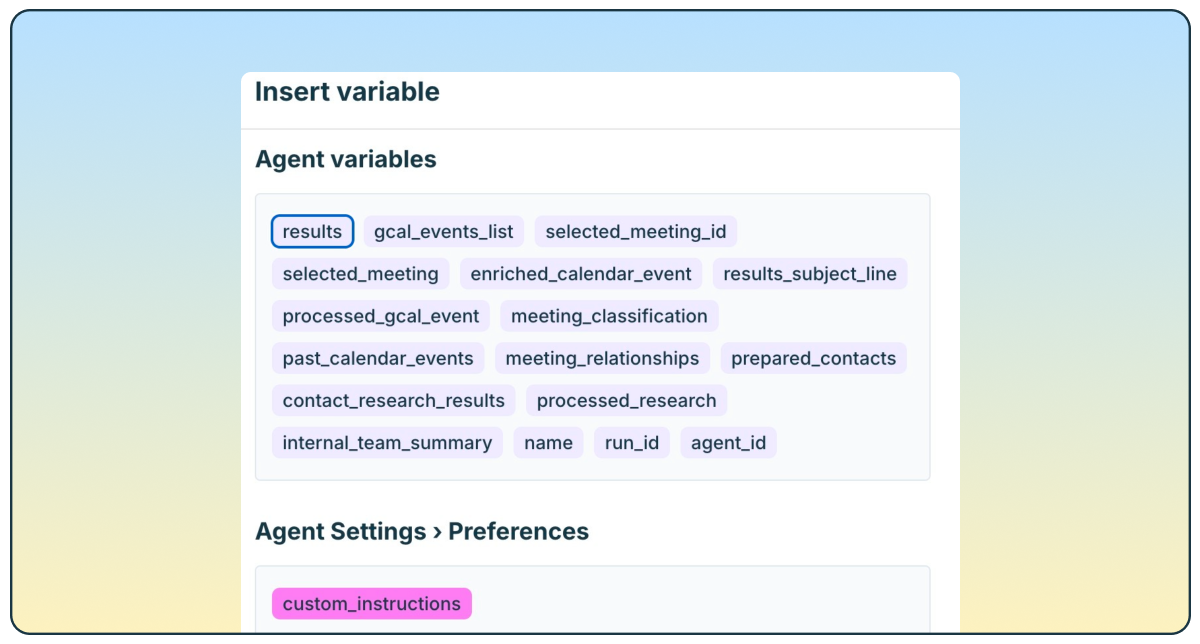
One major pain point when working with AI is the need to repeatedly specify instructions. Our new Email Agent tab in Settings addresses this. Now, you can:
-
Define your Preferences: Set the tone, format, language, and structure for how your agent responds—just once.
- Enjoy Consistency: No changes occur unless you set instructions, leading to a more harmonious flow in interactions.
Direct Connections with OpenClaw Actions
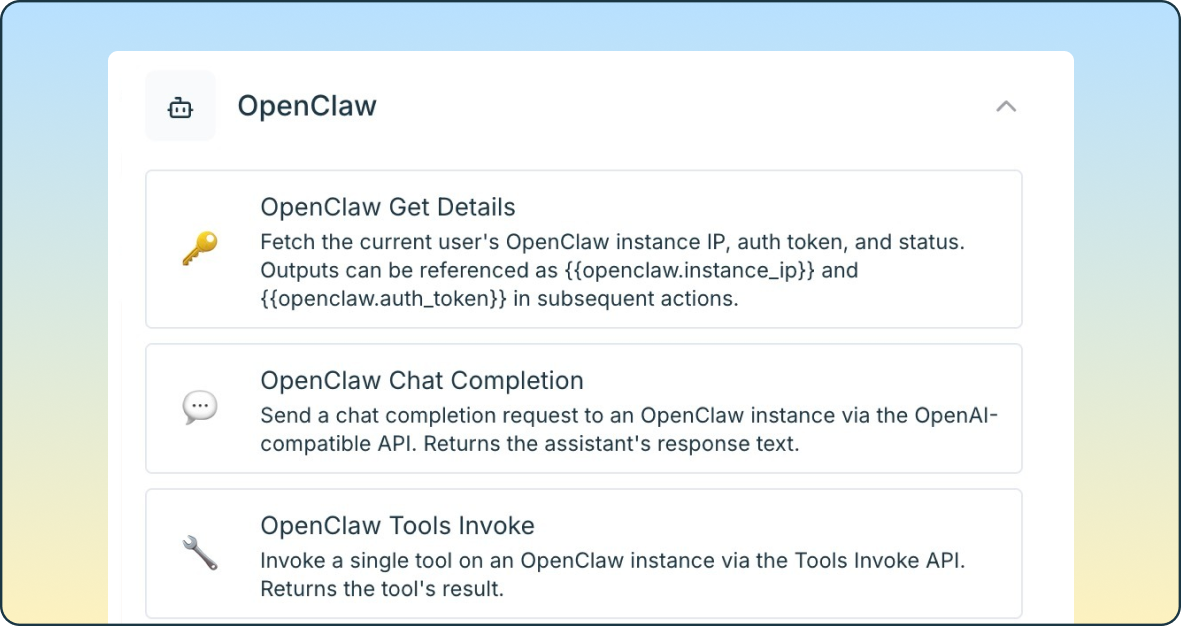
Connecting workflows to OpenClaw has never been easier. Our new live features include:
-
Get Details: Automatically retrieves user credentials without the hassle of IP addresses or tokens.
-
Chat Completion: Facilitates smooth messaging through a standard API, enabling multi-turn conversations.
- Tools Invoke: Call any tool from a user’s OpenClaw Gateway seamlessly during your workflow.
Enhanced Knowledge Agent Evaluations
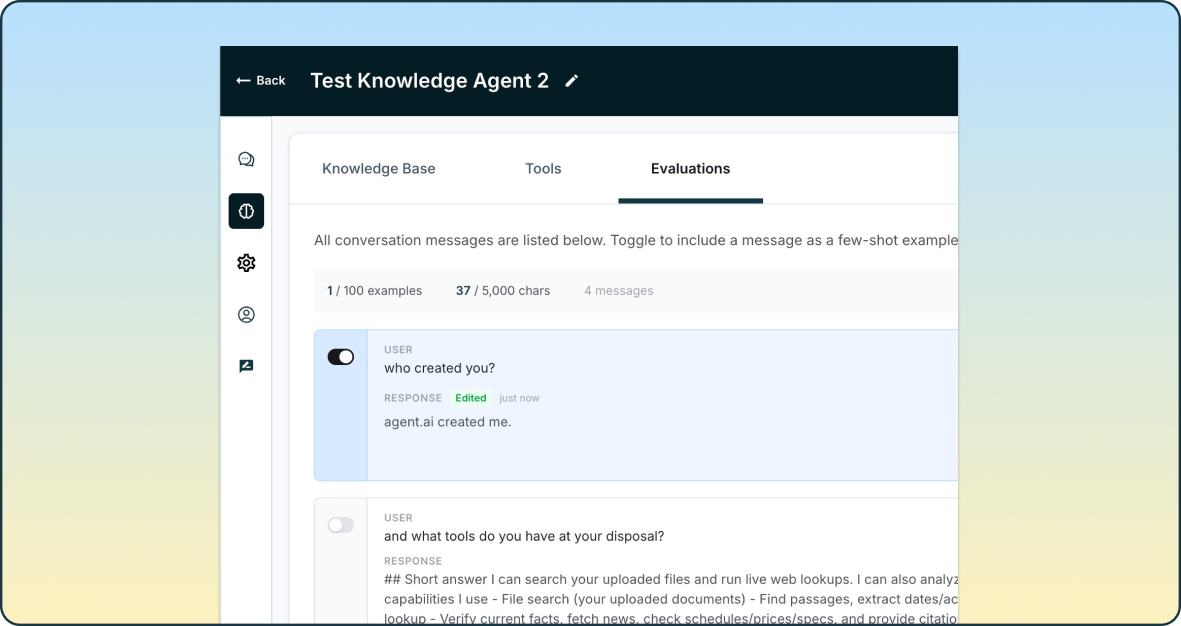
Transform casual conversations into insightful knowledge with our new evaluation features:
-
Curate Conversations: Builders can now review interactions and create few-shot examples directly from the builder.
-
Toggle Messages: Choose which messages to use as examples and edit them to perfection.
- Automatic Integration: Selected examples are injected into the agent’s system prompt in real-time.
By the Numbers
- Up to 100 examples per agent.
- 5,000-character budget for prompt injections.
- New messages poll every 10 seconds.
- Zero impact if no examples are configured.
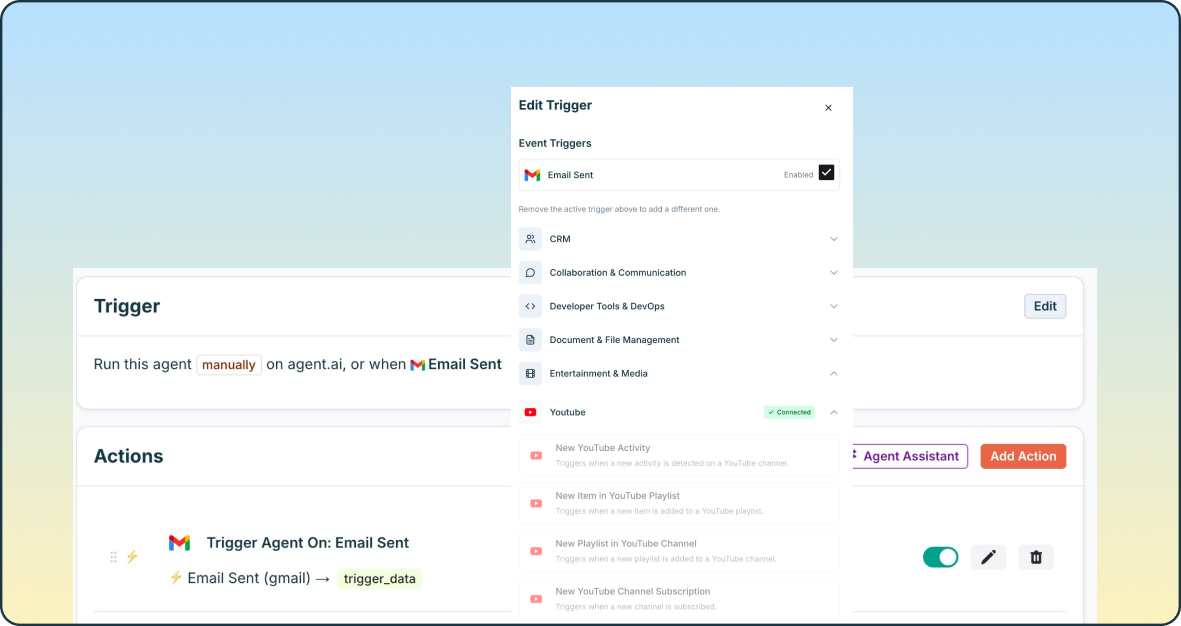
Overhauled Event Triggers UX
Trigger management is now more streamlined with a fresh design:
-
Direct Access: Configure and connect event triggers from the Edit Trigger sidebar.
-
Connection Status: Third-party vendors display their connection status next to their actions.
-
One-Click Connection: Experience seamless OAuth integration.
- Field Validation: Required fields are checked for correctness before creation with clear messages.
Major Upgrade: Agent Builder Assistant
Say hello to a more powerful Agent Builder Assistant that creates higher-quality agents rapidly and accurately:
-
Valid Structure: Automatically generates actions with a guaranteed valid format.
-
Expanded Capacity: Supports complex workflows with up to 32k tokens, leveraging the latest technology.
-
Self-Correcting: The system validates actions during generation for higher reliability.
- Live Updates: Witness real-time progress as actions are being generated, ensuring you’re always informed.
Your experience with Agent.ai is about to get a whole lot smoother.
Ready to Elevate Your Workflow?
Explore these incredible updates and harness their potential to transform how you work with AI. Dive into the new features today and start taking full advantage of all Agent.ai has to offer. Your journey toward a smarter, more efficient workspace begins now!