Discover the Effortless Ease of Cross-Platform File Sharing
As digital lifestyle enthusiasts, we often juggle multiple devices, seamlessly shifting between a Windows PC, Mac, Android phone, and iPhone. This daily dance can make cross-platform file transfer a real challenge, particularly when sharing files with others. Each platform typically offers its own solutions, yet they often fail to communicate with one another, turning simple sharing into a cumbersome task.
In this landscape of fragmented file transfer options, I’ve discovered a gem that makes life significantly easier: PairDrop. Effortless and versatile, this tool transcends barriers, enabling quick transfers across various devices with just a browser. Whether it’s a spontaneous sharing moment or routine exchanges with colleagues, PairDrop is a game changer.
What Makes PairDrop Different
It’s Not Like Anything You’ve Used Before
Navigating the world of file transfer apps can be overwhelming. Personally, I’ve been loyal to LocalSend for years, effortlessly moving files between my devices. While it has its merits, what sets PairDrop apart is its simplicity; there’s no downloading required.
This means you can share files instantly without needing to guide friends through downloading an app. Just share a link, and you’re ready to go! With PairDrop, your digital footprint stays light. Yet, provides all the features you’d want from traditional tools like LocalSend and Blip.
What’s even more impressive? PairDrop allows you to share files over the internet, regardless of whether the devices are on the same network.
Sending Files is as Easy as 1-2-3
There’s No Learning Curve
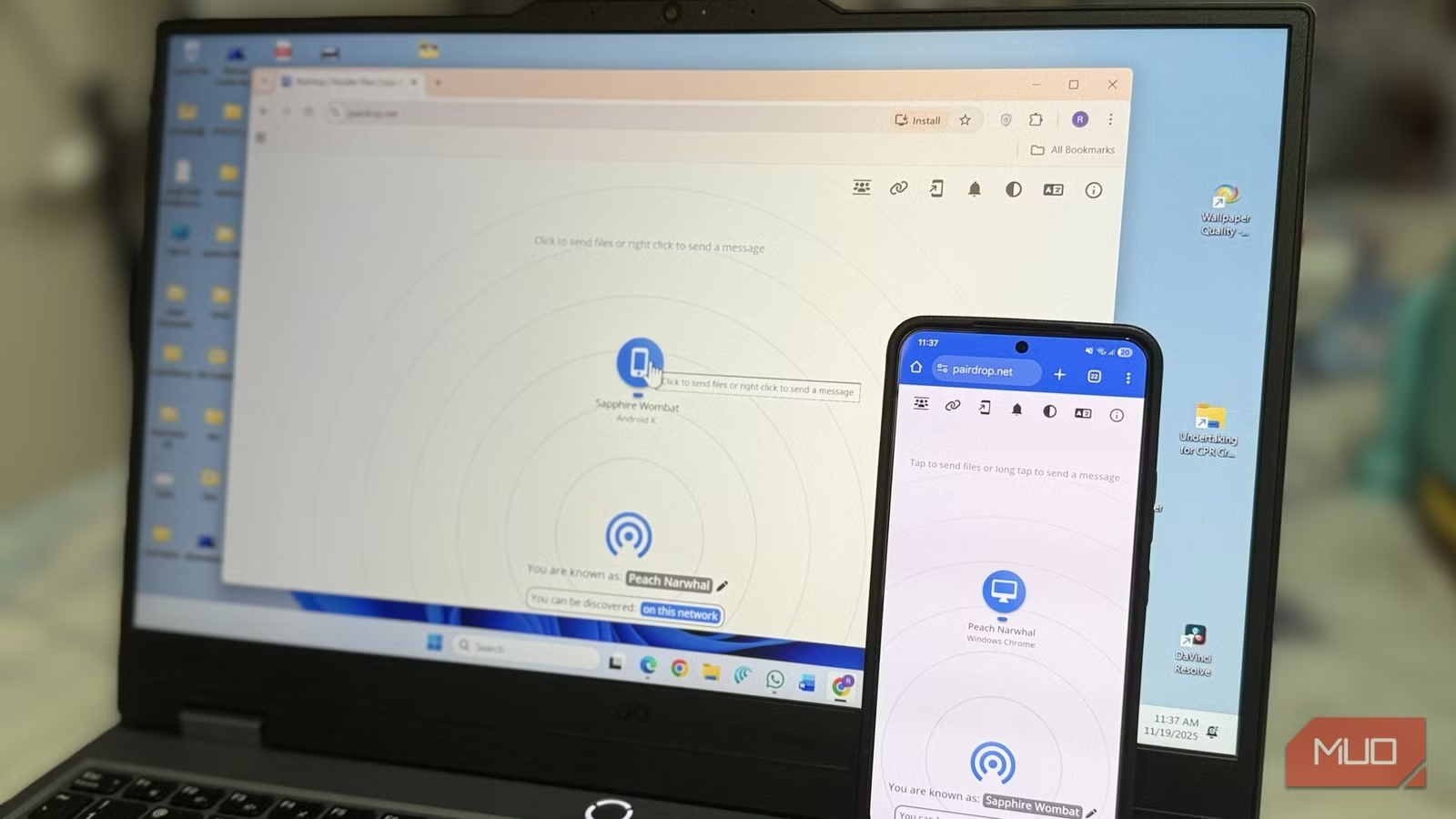
With PairDrop, simplicity reigns. Forget tedious setups or account creations; just visit pairdrop.net on both your devices. They’ll automatically detect each other, allowing you to select the intended recipient with ease.
- Choose the device you wish to send files to.
- Select your files from local storage—be it a photo, video, or document.
- Hit send! A prompt will appear on the other device for acceptance.
This seamless experience is consistent, whether you’re using Android, iPhone, Windows, or even Linux. The ease of use truly shines, eliminating any chance of frustration in your file-sharing routine.
Pair Devices Permanently or Create Public Rooms
Options for Every Scenario
While PairDrop excels at quick transfers, it offers even more robust features. For those who frequently share files with specific devices, you can opt for a permanent pairing.
Simply tap the link icon in the top corner on both devices, input the code displayed, and voilà! Once paired, you can continue sharing files via the internet, even when off the same network. This feature also facilitates text sharing, perfect for links or brief notes.
For more temporary needs, you can create public rooms. Invite others with a 5-letter code or QR code, allowing multiple devices to share files effortlessly. When you close the PairDrop tab, devices exit the room automatically—all while keeping your transfers organized.
It’s Open-Source, Private, and Without Any Limits
Simply No Compromises
The cherry on top? PairDrop is free from ads and doesn’t lock features behind a paywall. As an open-source solution, it respects your privacy, ensuring that files transfer directly between devices without going through a remote server. What you share remains just between you and the recipient.
Unlike many file-sharing services, PairDrop places no unnecessary restrictions on transfers, bypassing upgrade prompts and speed caps. You can share freely, without concerns over limits or hidden fees.
With PairDrop, I no longer hesitate when sharing files between my devices or sending something to others. Even if you have a preferred tool for regular transfers, PairDrop shines in those moments when you need quick, effortless sharing without app installations.
The next time you find yourself needing to transfer files, consider giving PairDrop a try. It’s not just a tool; it’s a refreshing experience that simplifies the complexities of our multi-device lives. Why not make sharing effortless and enjoy the convenience? Embrace PairDrop and elevate your file transfer experience today!