Discover Perplexity’s Free Comet Browser: The Superior Alternative to Chrome and Safari

This is the AI browser of the future, and it delivers far more substance than hype.
In today’s digital landscape, browsers are evolving at an astonishing pace. If you haven’t been paying attention, the introduction of AI-powered capabilities is significantly reshaping how we navigate the web. Among the frontrunners in this transformation is Perplexity’s Comet. After a period of exclusivity, this browser is now available to all users, allowing anyone to experience its remarkable features without the hassle of invitations.
Why Does It Matter?
Comet stands out because it’s built on the Chromium engine, which means you can migrate all your browsing data—like history, bookmarks, and extensions—smoothly. The user interface is sleek, complete with a stunning dark mode, but what truly sets it apart are its innovative features.
One standout element is the persistent Assistant nestled within every tab. This intelligent helper is not just a gimmick; it’s a fully contextual tool. You can easily ask it to summarize information or perform actions related to your current content.
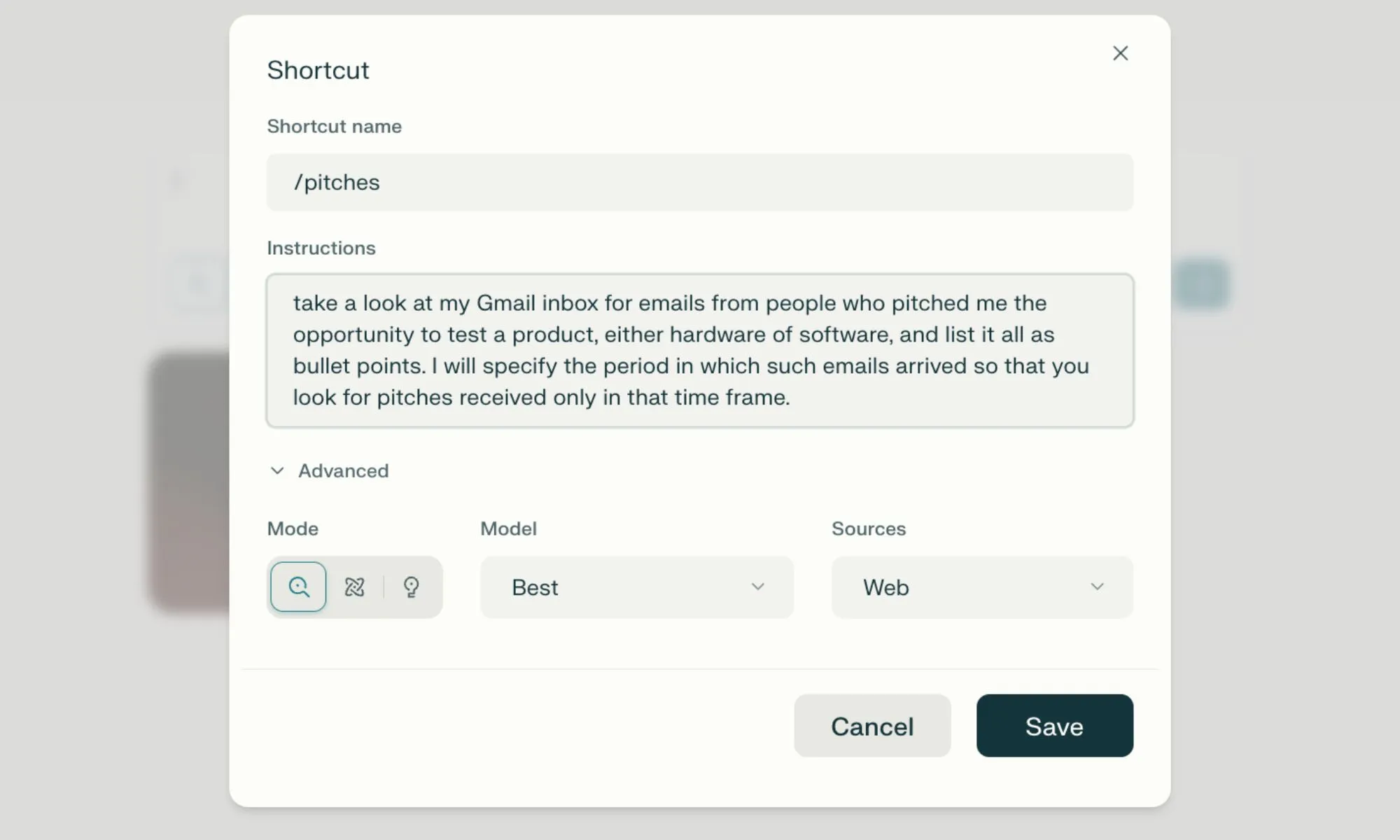
Additionally, the ability to cluster multiple tabs together is a game changer. For instance, if you’re comparing products on Amazon, you can gather various tabs to make the process incredibly efficient. Thanks to the innovative connector system, the AI Assistant can also bridge services like Gmail and WhatsApp, allowing you to issue commands in natural language. Witnessing it in action is truly impressive.
How Does It Redraw the Lines?
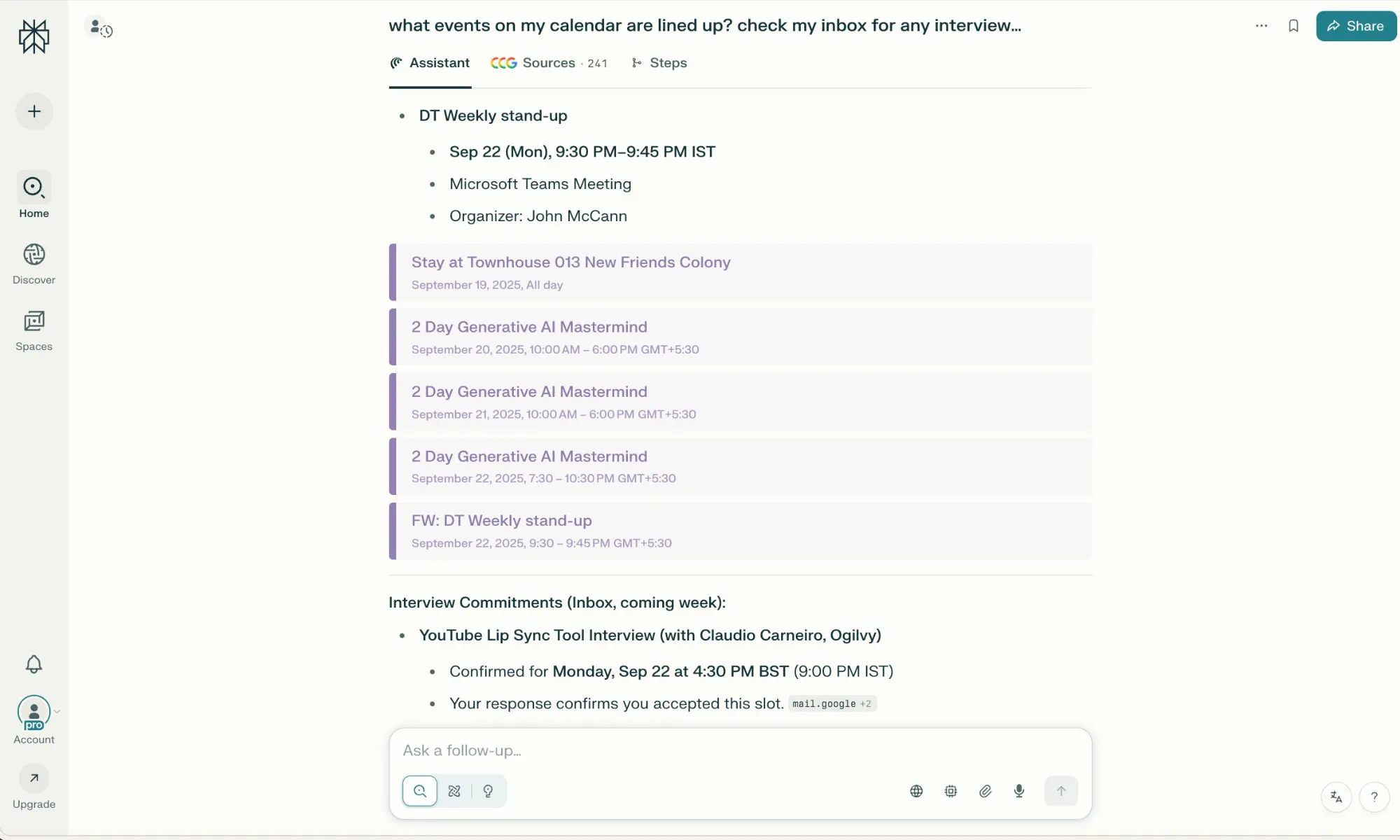
One of my favorite features in Comet is the shortcuts functionality. Imagine creating custom agents that can effortlessly execute multi-step tasks with just a word. Setting these up is straightforward. You simply describe what you want the shortcut to do, assign it a name, and call upon it with a simple “/” query. This feature is not only easy to use but remarkably convenient.
I’ve crafted shortcuts that conduct in-depth research, pull specific information from chosen sources, find discount codes, and even launch work tabs with a single click. Plus, you can switch between various AI models, such as OpenAI’s GPT or Anthropic’s Claude, to fully optimize your experience with features like Deep Research, akin to those offered by ChatGPT and Gemini.
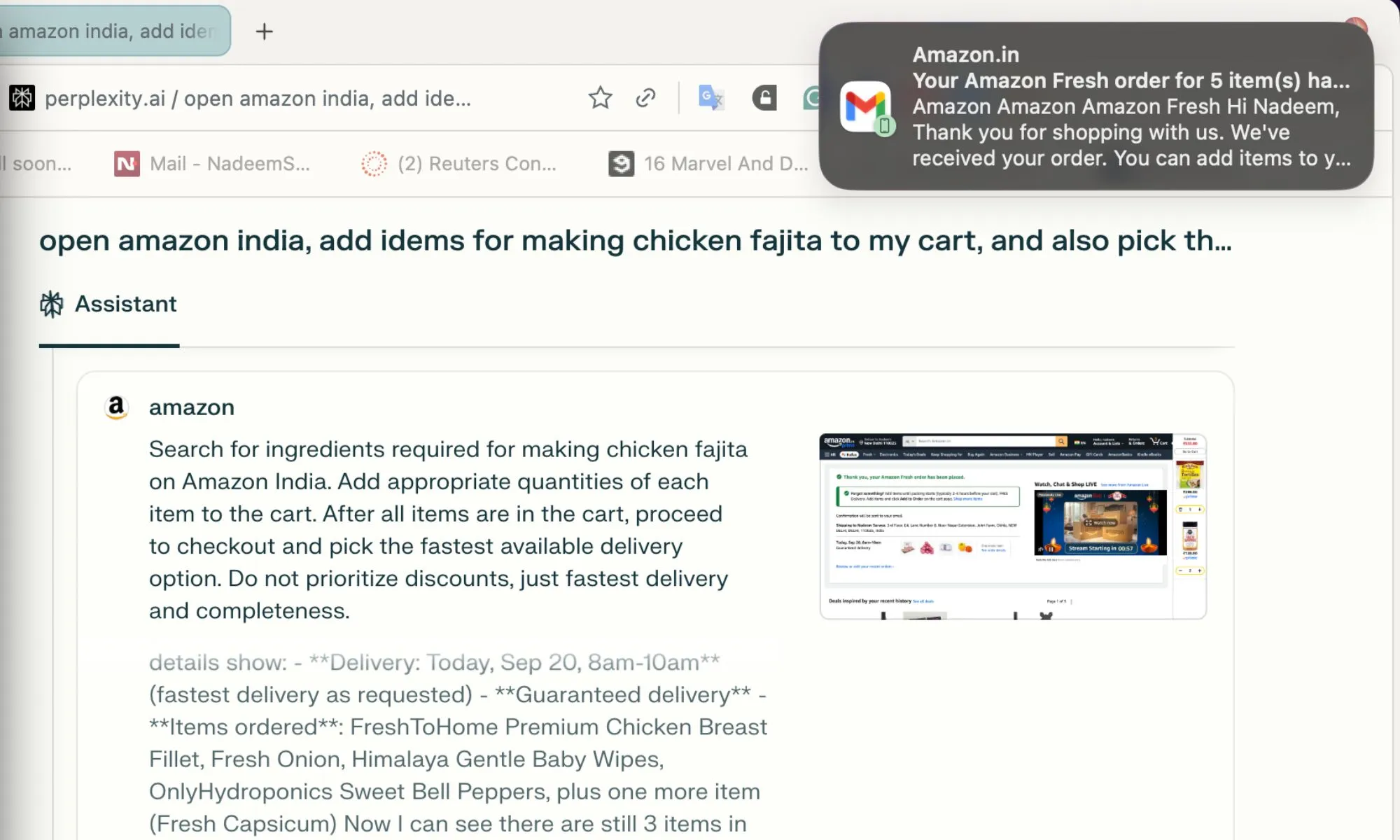
When it comes to automating tasks, the built-in AI can handle complex activities autonomously. For example, you could instruct it to “order items for making chicken salad” and select the fastest delivery option—all with minimal input. Overall, this browser transforms tedious tasks into streamlined processes, effectively saving you valuable time.
In our fast-paced digital world, embracing such innovations is no longer just an option; it’s a necessity.
Ready to elevate your browsing experience? Give Comet a try and discover how it can simplify your online activities while enhancing your productivity. You won’t look back!