DaVinci Resolve
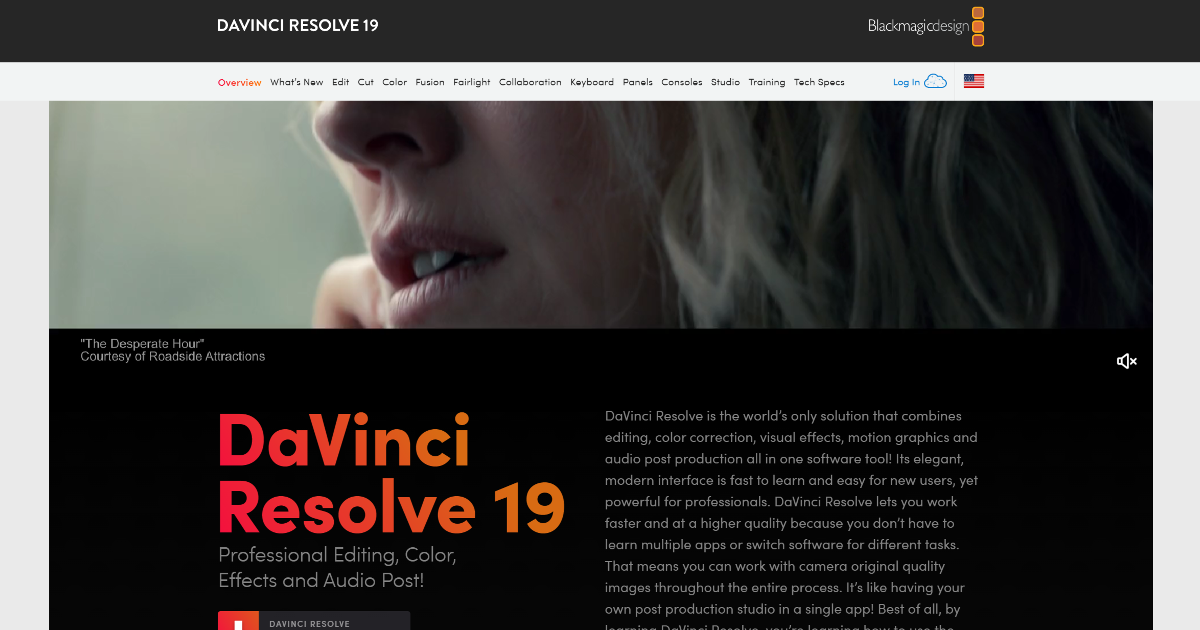
DaVinci Resolve has emerged as a leading solution in the realm of video editing and post-production. Its comprehensive suite of tools caters to both professionals and enthusiasts, streamlining the entire workflow from editing to color correction, visual effects, and audio post-production.
What is DaVinci Resolve?
DaVinci Resolve is an advanced video editing software developed by Blackmagic Design. It integrates multiple post-production disciplines into a single platform, offering a unified experience for users. The software is available in two versions: a free edition and a paid Studio edition, each tailored to different user needs.
Key Features of DaVinci Resolve
-
Professional Editing Tools: DaVinci Resolve provides a comprehensive set of editing tools, including a dedicated cut page for streamlined workflows and a traditional timeline-based editor for detailed work.
-
Advanced Color Correction: Renowned for its color grading capabilities, DaVinci Resolve offers a wide gamut workspace and powerful features that allow precise control over color and lighting effects.
-
Fusion Visual Effects: The Fusion module offers a node-based interface for creating complex visual effects and motion graphics directly within the software.
-
Fairlight Audio Post-Production: Integrated professional tools for audio post-production, capable of handling up to 2,000 tracks with real-time effects and processing.
- AI-Powered Features: The DaVinci Neural Engine utilizes machine learning to enable powerful features like facial recognition, scene cut detection, and AI-based video upscaling.
Benefits and Advantages
-
All-in-One Solution: By integrating editing, color correction, visual effects, and audio post-production, DaVinci Resolve eliminates the need for multiple software solutions, enhancing workflow efficiency.
-
Industry-Standard Quality: Used in Hollywood productions, DaVinci Resolve ensures high-quality output, making it a trusted choice for professionals.
- Cost-Effective: The free version offers a robust set of features, while the Studio edition provides advanced tools at a one-time purchase cost, avoiding subscription fees.
How DaVinci Resolve Works
DaVinci Resolve operates through a modular interface, allowing users to switch between different workspaces:
-
Media: Import and organize media files.
-
Cut: Quickly assemble edits with a streamlined interface.
-
Edit: Perform detailed editing tasks on the timeline.
-
Fusion: Create visual effects and motion graphics.
-
Color: Apply color grading and correction.
-
Fairlight: Mix and edit audio tracks.
- Deliver: Export the final project in various formats.
Use Cases / Real-World Applications
-
Film Production: Editing and color grading feature films with high-resolution support.
-
Television: Quick turnaround editing for TV shows, utilizing multi-user collaboration features.
-
YouTube Content Creation: Producing high-quality videos with advanced editing and color correction tools.
- Corporate Videos: Creating professional presentations and promotional materials.
Comparison with Alternatives
When compared to other video editing software like Adobe Premiere Pro and Final Cut Pro, DaVinci Resolve stands out due to its comprehensive feature set, AI-powered tools, and cost-effective pricing model. While Premiere Pro operates on a subscription basis, DaVinci Resolve offers a one-time purchase for the Studio edition, providing long-term value.
Pricing and Plans
-
DaVinci Resolve Free: Offers a comprehensive set of features suitable for most users, including editing, color correction, and Fairlight audio tools.
- DaVinci Resolve Studio: Priced at $295 for a lifetime license, it includes advanced features like HDR grading, AI-powered tools, and multi-user collaboration. (tekpon.com)
Pros and Cons
Pros:
-
Comprehensive Toolset: Combines editing, color correction, visual effects, and audio post-production in one platform.
-
AI-Powered Features: Enhances productivity with intelligent tools like facial recognition and scene cut detection.
- Cost-Effective: Offers a free version with robust features and a one-time purchase for the Studio edition.
Cons:
-
Steep Learning Curve: The extensive feature set may be overwhelming for beginners.
- High System Requirements: Optimal performance requires a powerful computer, especially for high-resolution editing.
Tips for Getting the Most Out of DaVinci Resolve
-
Explore Tutorials: Utilize the extensive tutorials available on Blackmagic Design’s website and YouTube channel to familiarize yourself with the software.
-
Customize the Interface: Tailor the workspace to your workflow preferences to enhance efficiency.
- Leverage AI Tools: Take advantage of AI-powered features to automate tasks and improve productivity.
Conclusion
DaVinci Resolve stands as a powerful and versatile video editing and post-production tool, integrating a wide array of features into a single platform. Its AI-powered capabilities and cost-effective pricing make it a compelling choice for both professionals and enthusiasts seeking to enhance their video production workflows.
For more detailed information and updates, visit the official Blackmagic Design website.