Boost Your Productivity: How Edge’s Copilot Mode Simplifies Mundane Tasks and Seamlessly Resumes Your Work
Microsoft has just taken a bold step forward in the realm of web browsing with its innovative Copilot Mode in Edge. Designed with the user experience in mind, this sophisticated feature empowers you to navigate the digital landscape more effortlessly than ever before. Imagine effortlessly managing your emails, making hotel reservations, and filling out forms—all while enjoying a seamless browsing experience.
What’s New in Copilot Mode?
Recently, Microsoft enhanced Edge’s Copilot Mode, making its advanced capabilities available to users on both Windows and macOS platforms.
-
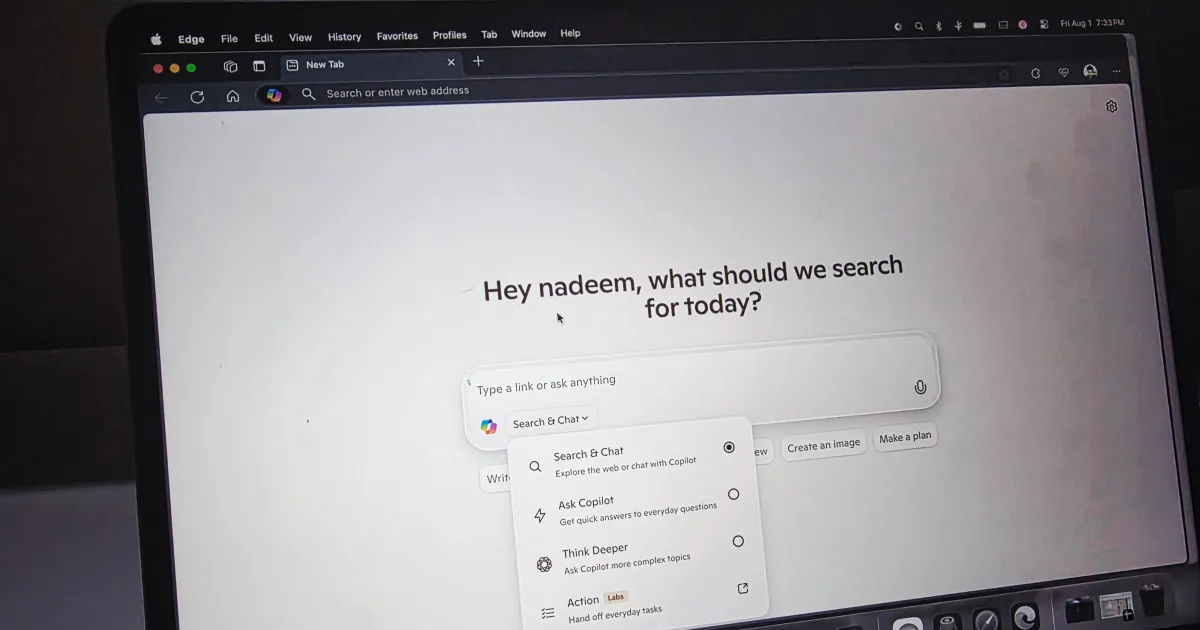
Chat Interface: Initially rolled out as an experimental feature last July, Copilot Mode now allows users to interact through a chat interface in every new tab. You can effortlessly ask questions, conduct searches, and reason across several open tabs.
-
Copilot Actions: One of the standout features is Copilot Actions, enabling you to complete everyday tasks with ease—think about filling out those pesky forms or unsubscribing from unwanted emails in mere seconds.
-
Copilot Journeys: Another interesting addition, Copilot Journeys organizes your browsing history into easily navigable topics. This means you can swiftly pick up exactly where you left off, enhancing your overall browsing experience.
- Enhanced Analysis: Microsoft has stated that Copilot Mode can analyze your browsing history to provide higher-quality, more relevant responses, making it a powerful assistant as you explore the web.
Why Does This Matter?
The landscape of AI-powered browsers is rapidly evolving, and Microsoft is keen to maintain its foothold in this competitive arena. Here’s how these updates make a difference:
-
Streamlined Efficiency: Thanks to Copilot Actions, you can carry out routine tasks faster, freeing up more time for the activities that truly matter to you.
- Enhanced Exploration: With Journeys, revisiting previously explored topics has never been easier. Forget bookmarks—now, your history is neatly organized for hassle-free access.
Why Should You Care?
For those who’ve relied on Edge for years, there’s no need to seek alternatives like ChatGPT’s Atlas, Dia, or Comet for an AI-enhanced browsing experience.
-
Time-Saving Features: Copilot Actions are tailored to minimize repetitive tasks, allowing you to optimize your daily activities.
- Easy Topic Navigation: With Copilot Journeys, you can navigate your online experiences more intuitively, saving you from the clutter of endless tabs and bookmarks.
What’s Next?
The rollout of Copilot Mode is not stopping here. It is now available for all users on Windows and macOS across various Copilot markets, with plans to extend its reach to mobile users soon. Currently, Copilot Actions and Journeys can be accessed for free in a limited preview, but only in the U.S.
Embrace this opportunity to elevate your browsing experience. Dive into Microsoft Edge’s Copilot Mode and explore how it can transform the way you interact with the web. Your more seamless, intuitive online journey begins now!